What it got wrong at first
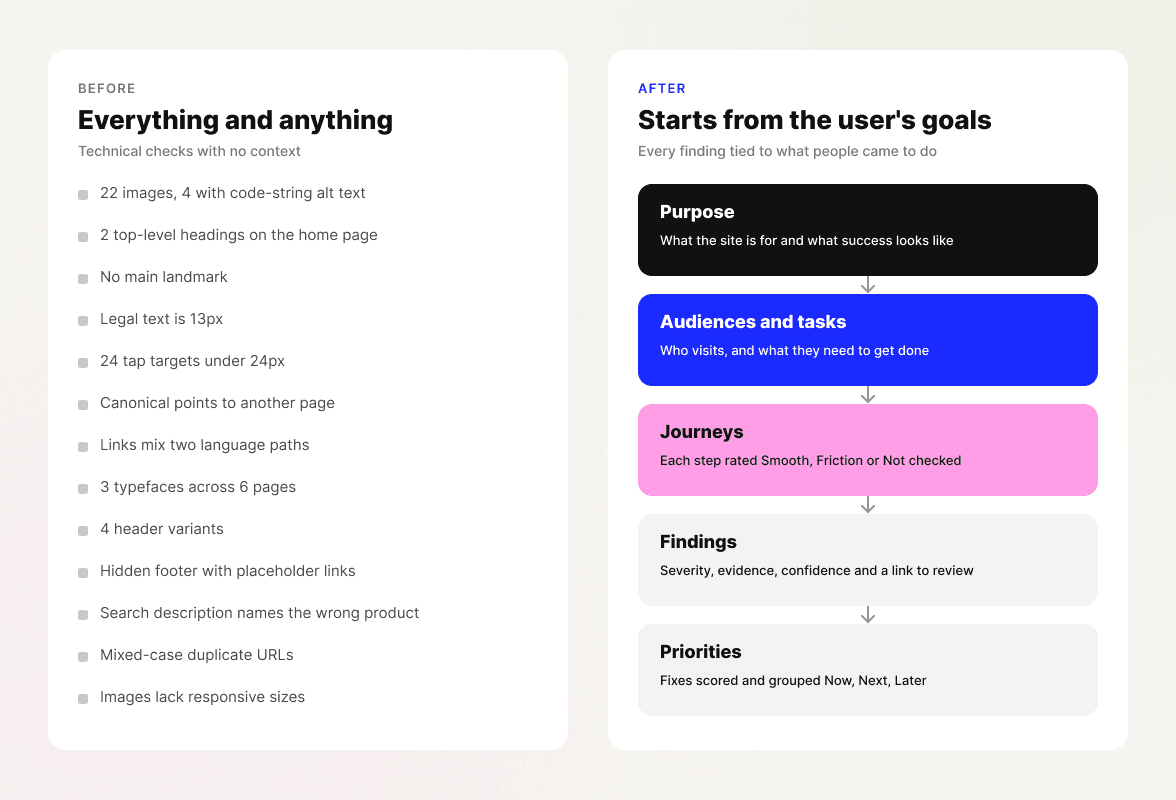
Early versions produced a very technical, high level audit that looked at everything and anything. It wasn't wrong, but without context it was hard to act on.
LAB · CLAUDE SKILL · 2026
How I built a Claude skill that audits a website through its users' goals, not a checklist, and tested it until I trusted the output.
01 · THE PROBLEM
A thorough website audit used to take me days of manual checking. Speeding it up with AI was the obvious next step, but an audit without context isn't much use. It tells you everything that's wrong with a site, not what matters to the people using it.
02 · WHY A SKILL, NOT A PROMPT
A one-off prompt guesses at what you want and gives a different answer every time. A skill asks for the context it needs, follows the same process and quality bar on every run, and delivers the report in the format you'll actually use.
03 · HOW IT WORKS
Before it looks at a page, it asks about the site's purpose, its audiences, their goals and what the report is for, and checks back when something is unclear.
It reads the pages, with Firecrawl for wider crawls or a live browser, and collects screenshots and code facts before judging anything.
It walks each key journey step by step, then checks usability heuristics, content, consistency, phone and tablet layouts and accessibility basics.
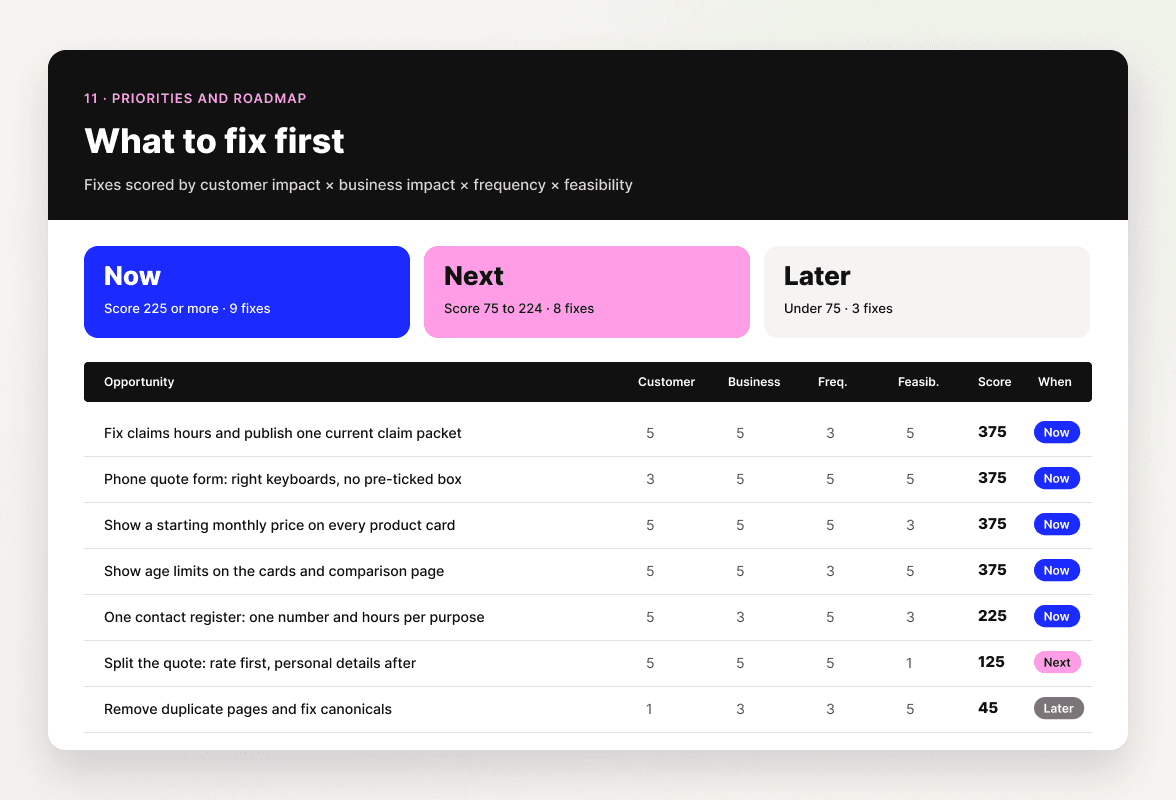
Findings come with severity, confidence and a link, and fixes are grouped Now, Next and Later, in the design, colours and format you ask for.
04 · TESTING IT
I tested and refined the skill for more than a week, running it on real websites in different industries and checking each output against what I'd expect from my own audits.
Early versions produced a very technical, high level audit that looked at everything and anything. It wasn't wrong, but without context it was hard to act on.
I made it ask for the context first: the user needs, the purpose of the website and what people are trying to do there, so it judges every page against those goals instead of filling gaps with guesses. Connecting a scraping tool like Firecrawl let it review more pages and produce better visuals, and I added the option to set the design, colours and format of the report.
05 · SEE IT IN ACTION
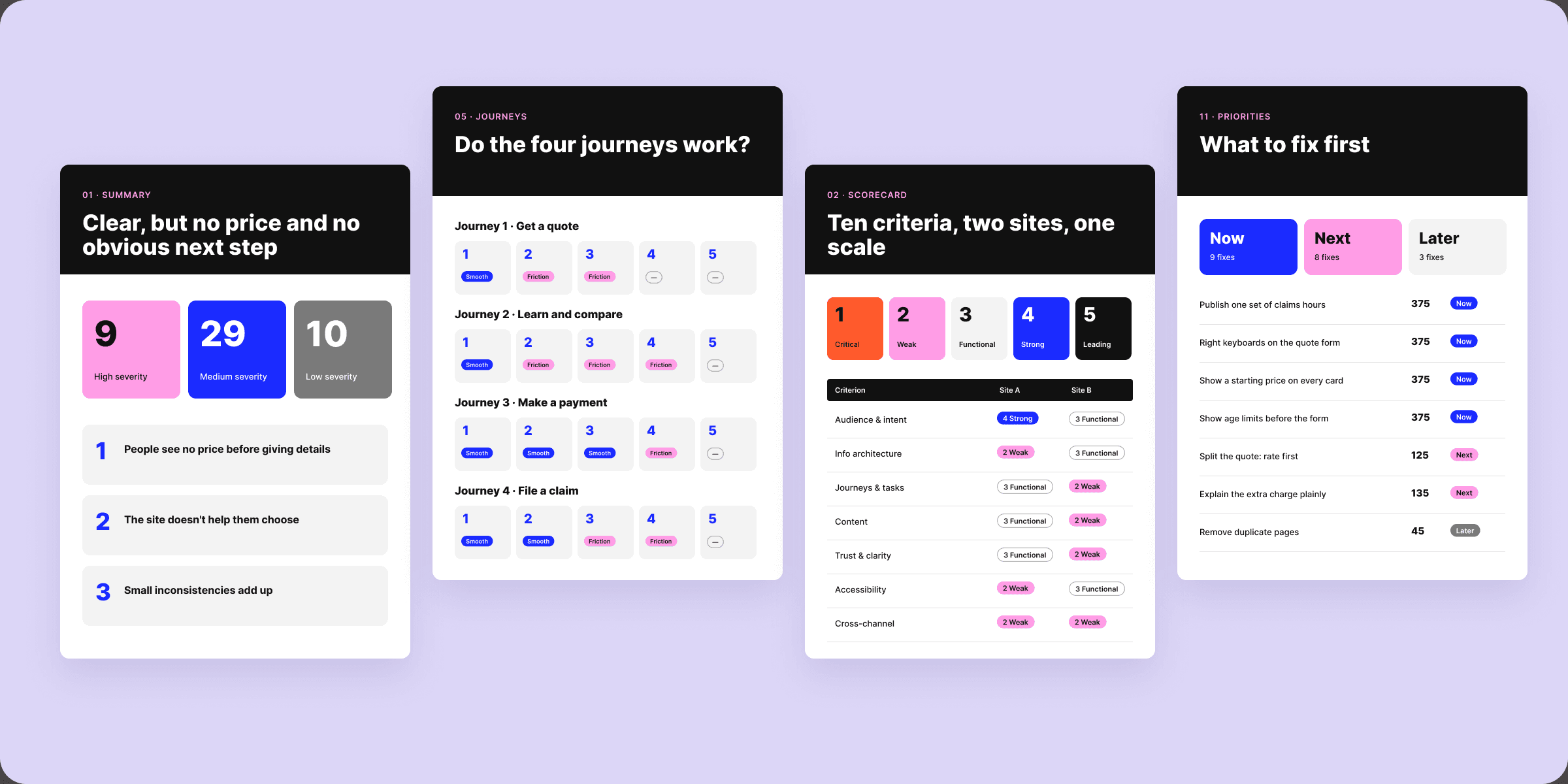
A travel booking site, reviewed against its goals and two key journeys, and an insurance group's two websites, reviewed across four journeys, ten criteria and three screen sizes. Client names have been removed.
06 · WHAT IT CHANGED
Audits now start from what people need to do on a site rather than a list of checks. Each one comes back in the same structure, styled and formatted for wherever it's going, whether that's a deck, a report or Figma frames, so nobody has to rework the visuals before sharing it. My time goes into deciding with the team what to fix first instead of collecting issues.
NEXT IN THE LAB