The challenge
DIFC is a busy district full of offices, restaurants, galleries and events, but people had no single, easy way to find what they needed or even find their way around. Each type of user had very different needs.
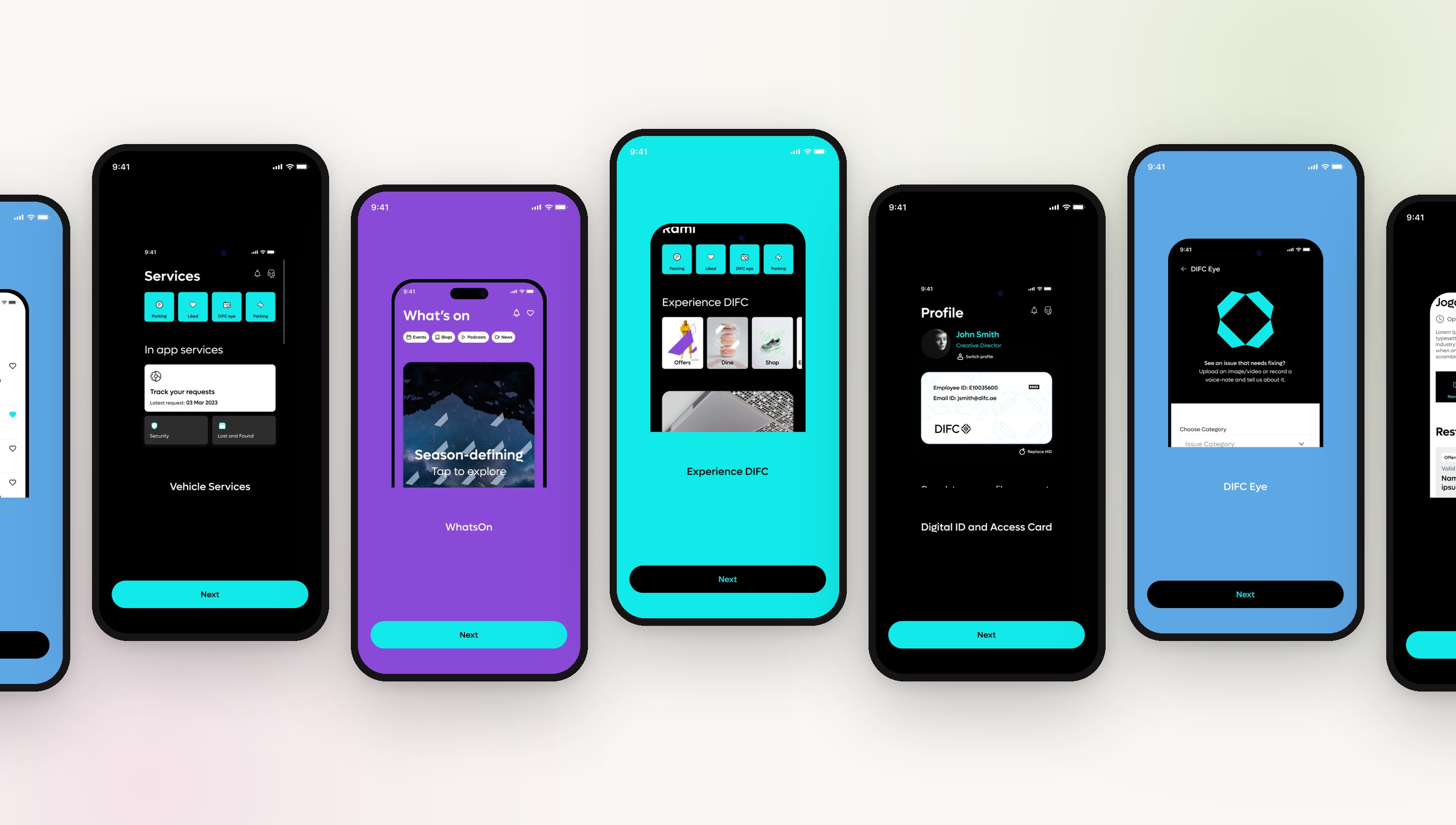
An all in one lifestyle and business app for the Dubai International Financial Centre, giving visitors, employees and tenants easy access to events, dining, services and experiences across the district.
PROJECT OVERVIEW
DIFC is a busy district full of offices, restaurants, galleries and events, but people had no single, easy way to find what they needed or even find their way around. Each type of user had very different needs.
Create one mobile experience where visitors, employees and tenants can quickly reach services tailored to them and to where they are in the district.
MY ROLE
This was a big team effort, with strategy, experience design and technical consultants on our side, another designer focused on the website wireframes, and stakeholders from across DIFC on the client side. I was involved from the very first conversation and led the research that shaped both the website and the DIFC+ app.
I interviewed stakeholders and clients, benchmarked DIFC against competitors and similar platforms, and turned what I learned into audience segments, personas and customer journeys. From there I restructured the sitemaps for the website and the app, and owned the app's UX end to end, from user flows and wireframes through iterations, prototypes and developer handoff. A UI designer then built the final visual design on top of that work.
WHAT I OWNED
THE PROCESS
User interviewsCompetitor analysis
PersonasProject scope and deliverables
SitemapsUser flows and features
WireframesPrototypes and handoff
RESEARCH & DISCOVERY
WHO I SPOKE TO
I started by speaking with stakeholders from different departments and interviewing clients in person, to understand everything about how they used DIFC. We then ran workshops to find out where things had gone wrong. Alongside that, I benchmarked similar apps and platforms and reviewed the existing experience against usability heuristics, to see what people already expect, both inside and outside the DIFC ecosystem. In total, I spoke to 19 people from 11 companies, including financial businesses, consulting and law firms, startups, restaurants, art galleries and other lifestyle outlets.
“Going to DIFC can be confusing”
Which entrance gets me to my shop?
Where's the nearest parking?
App used on the go, in DIFC
“I don't know who joins or leaves”
Hard to find other businesses
Public registry feels buried
Want city context & news
“DIFC feels like home”
Want groups I can join
Book & organise events
Hear community news
“Can't find handbooks & templates”
Is this info up to date?
Guides & videos by type
See which spaces are free
“Setup is long and cumbersome”
Let me save and come back
Show every step up front
A progress bar would help
“I end up Googling DIFC pages”
Filters & tags that make sense
Live chat for quick help
Suggest what I need next
“Visa renewal through the app”
Register my vehicle
Digital access pass
Book rooms & offices
“I live and work here, connect it all”
One place for work & lifestyle
Personalised dashboard
Linked sites & navigation
COMPETITOR ANALYSIS
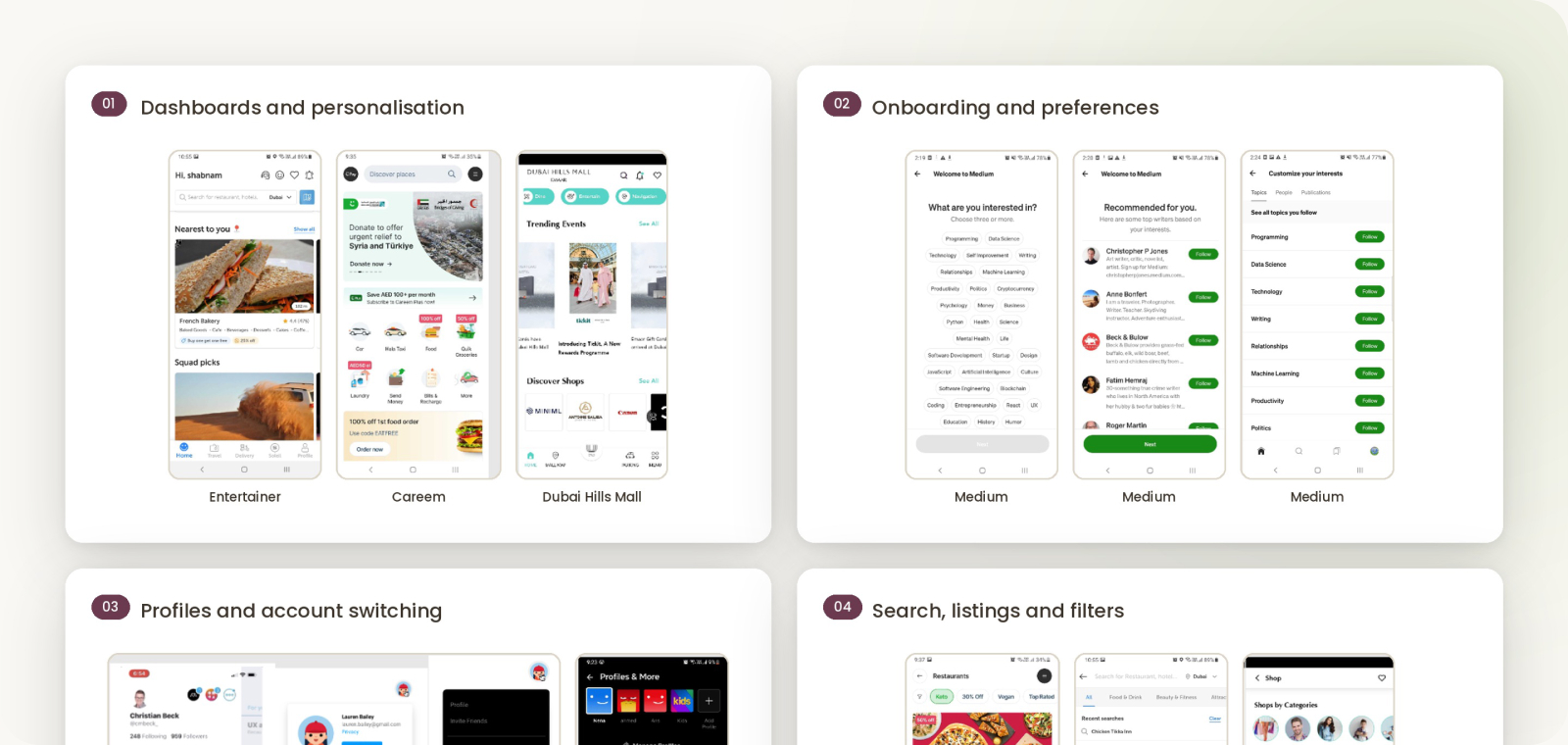
To get a clear picture of the market, I explored a mix of experience apps, employee portals and learning platforms. I paid close attention to how they handled navigation and access to services, especially in large, complicated spaces. I benchmarked the DIFC website and mobile app against direct and indirect competitors.
A FINDING THAT STUCK WITH ME
The Dubai Mall app's wayfinding felt especially relevant for a district like DIFC. Comparing DIFC with similar platforms also showed me what was missing and where DIFC could do better.
RESEARCH FINDINGS
Bringing the interviews and competitor research together, I grouped what I learned into clear themes. Because this work also fed into the new website, these findings shaped both experiences. Across the current user flows, four problems kept coming up: too many steps to get something done, content that was difficult to find, an overreliance on physical support staff, and a disconnected experience across the website, client portal and email.
STRATEGY & SYNTHESIS
Next, I turned the research into audience segments and personas, which also fed into the strategy deck. DIFC serves two very different groups: the business community that works there, and the people who visit it as a destination. On the business side, that covered financial and non financial businesses, startups, retail and tenants. On the destination side, it covered visitors, event attendees, residents, employees and students.
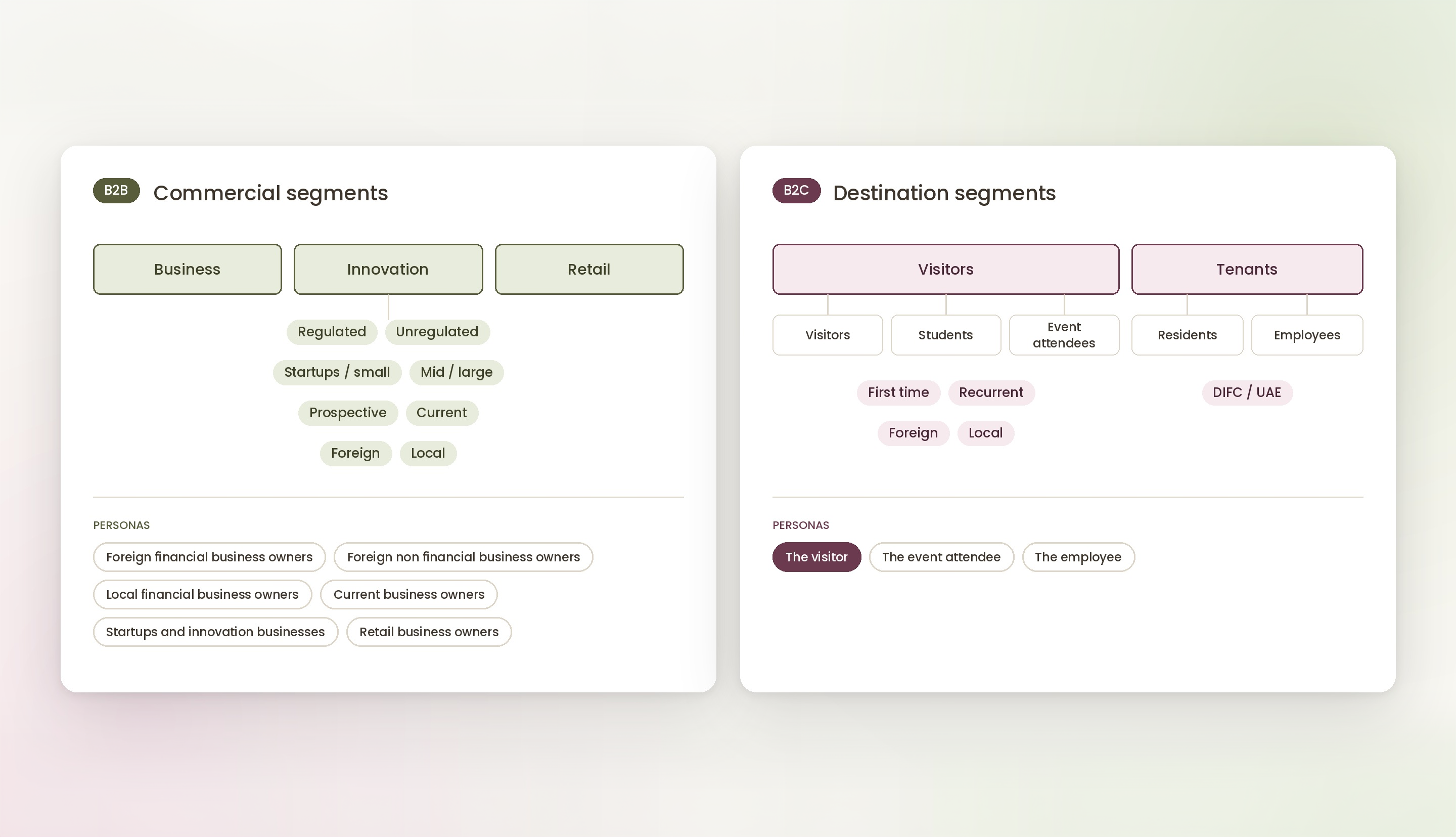
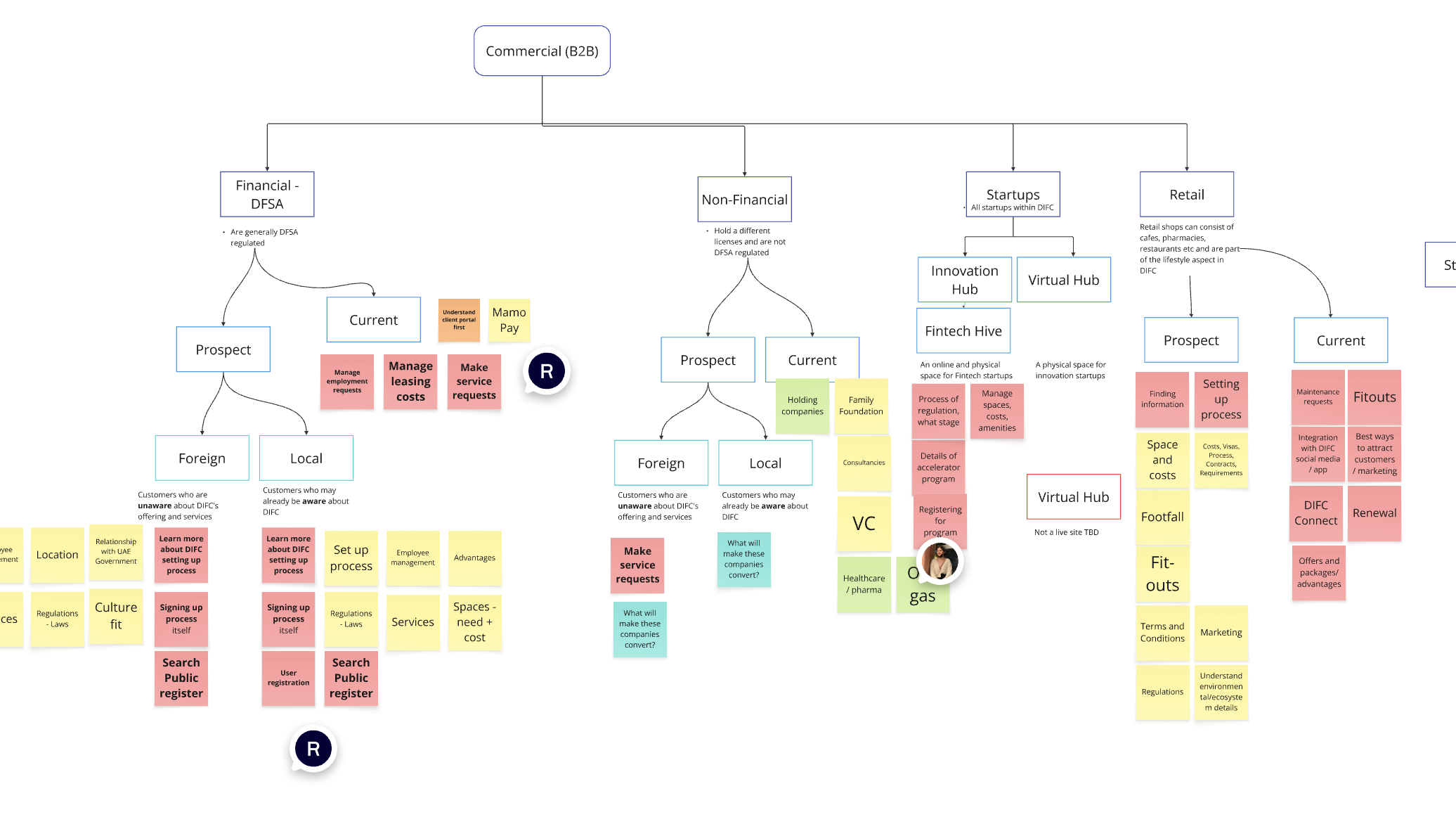
Before redesigning anything, I mapped every audience against what they needed from the current website, from foreign prospects setting up a business to current retail tenants requesting fit-outs. Laying it all out showed where content was missing, duplicated or hard to find, and which journeys mattered most.
PERSONAS
I created a set of personas based on the segments and what I heard in interviews, from foreign and local business owners and startups to event attendees, visitors and employees. One example is the visitor: someone exploring DIFC as a destination who wants to find what they need in the easiest, most convenient way.

IDEATION
In ideation, I generated ideas and identified the different user types and their flows. For the website, I looked at the areas that didn't make sense, consolidated them and recreated the sitemap and information architecture. I then did the same for the mobile app.
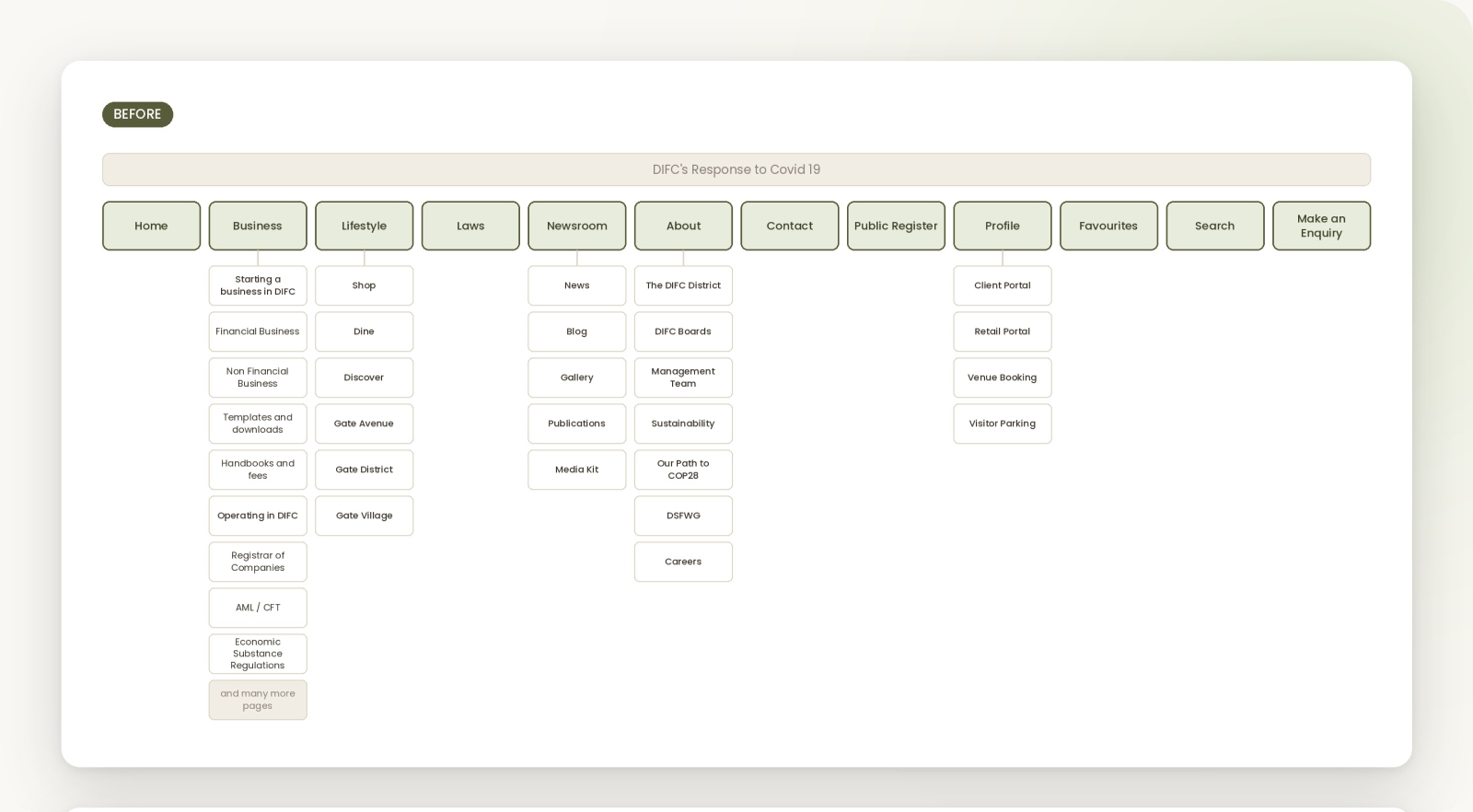
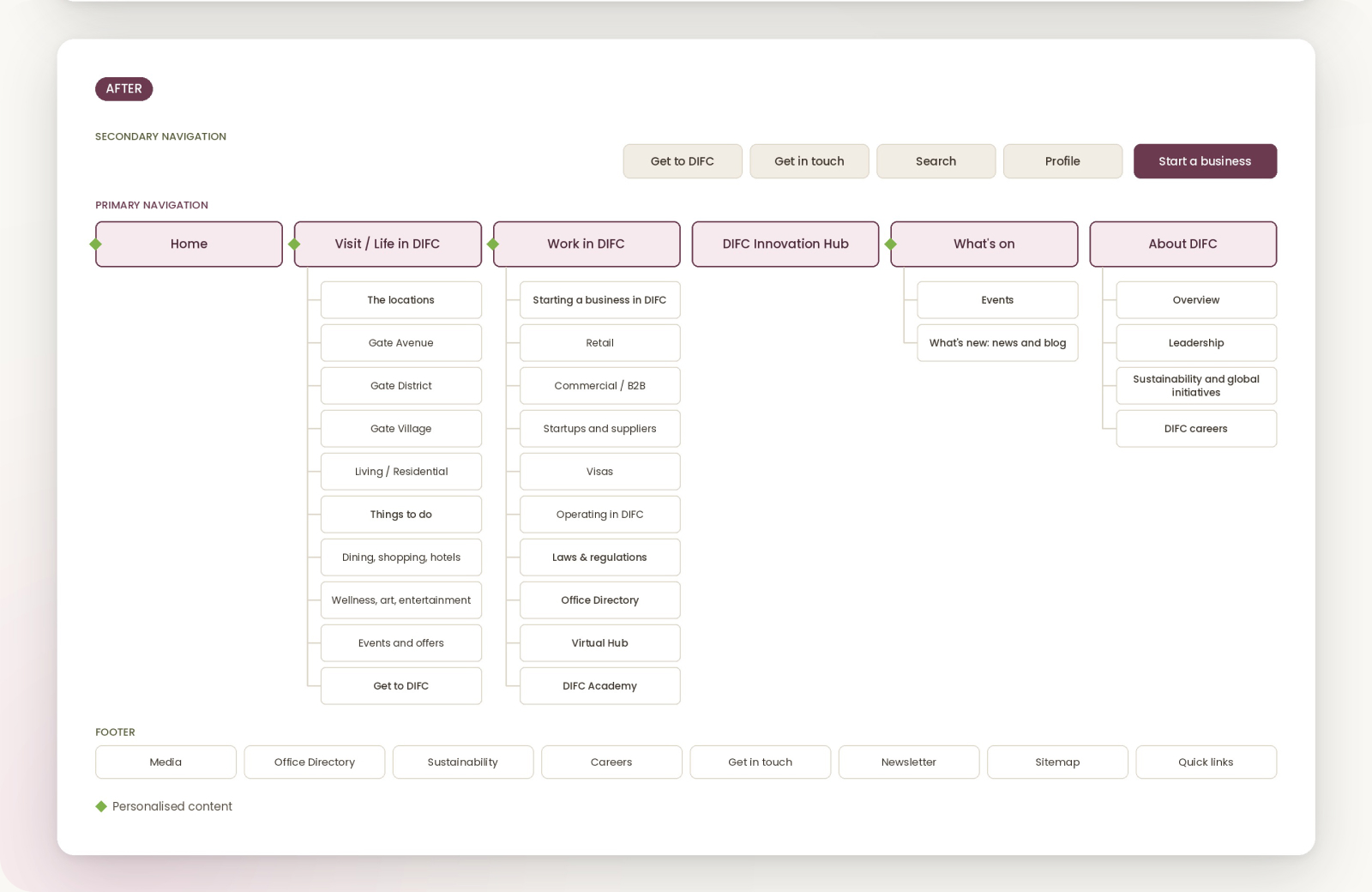
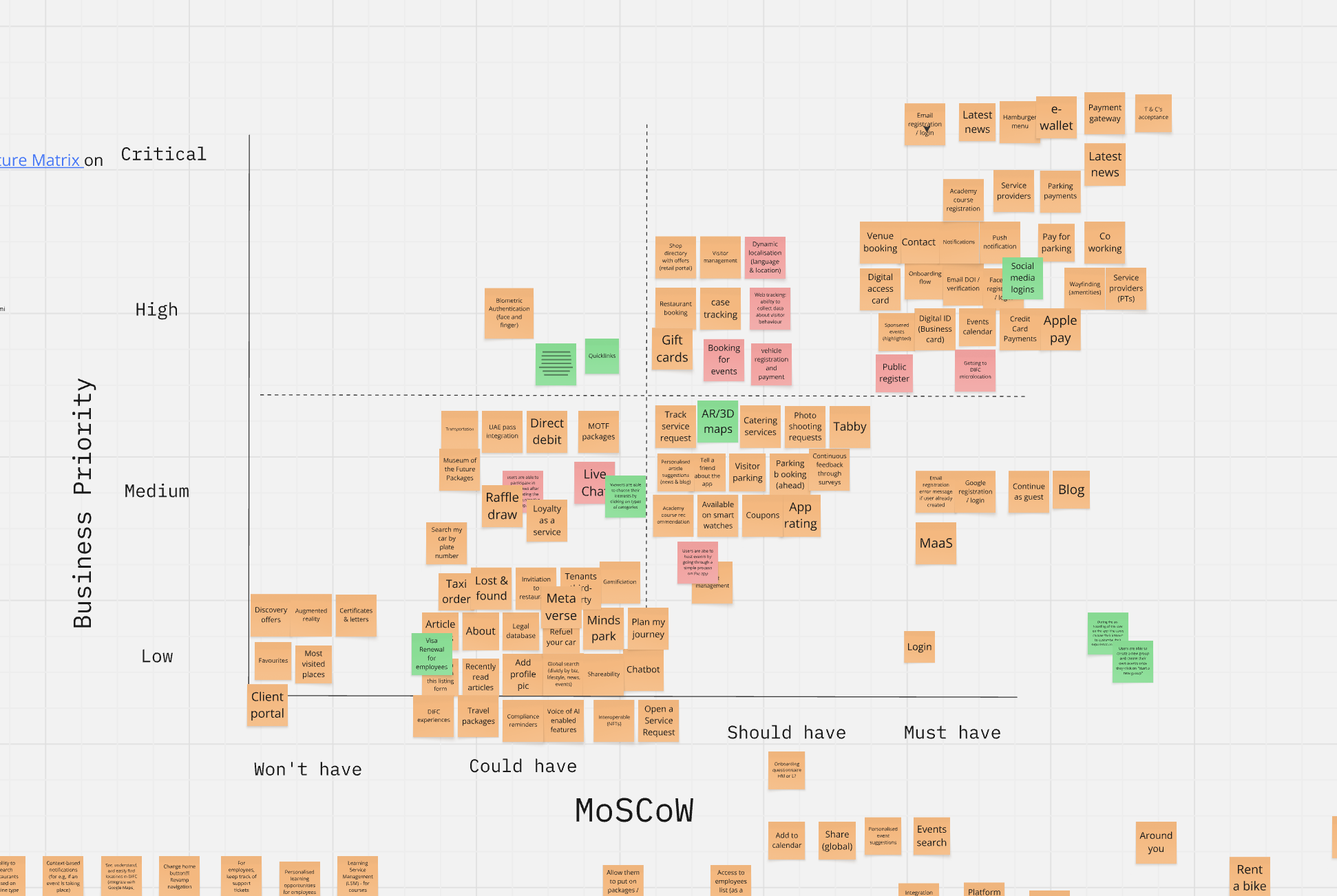
With the structure in place, I gathered every new idea for the app into one feature list, from digital IDs and parking payments to co-working and AR wayfinding. I then plotted each one by business priority and MoSCoW, so the team could agree what belonged in the first release and what could follow later.
LOW FIDELITY WIREFRAMES
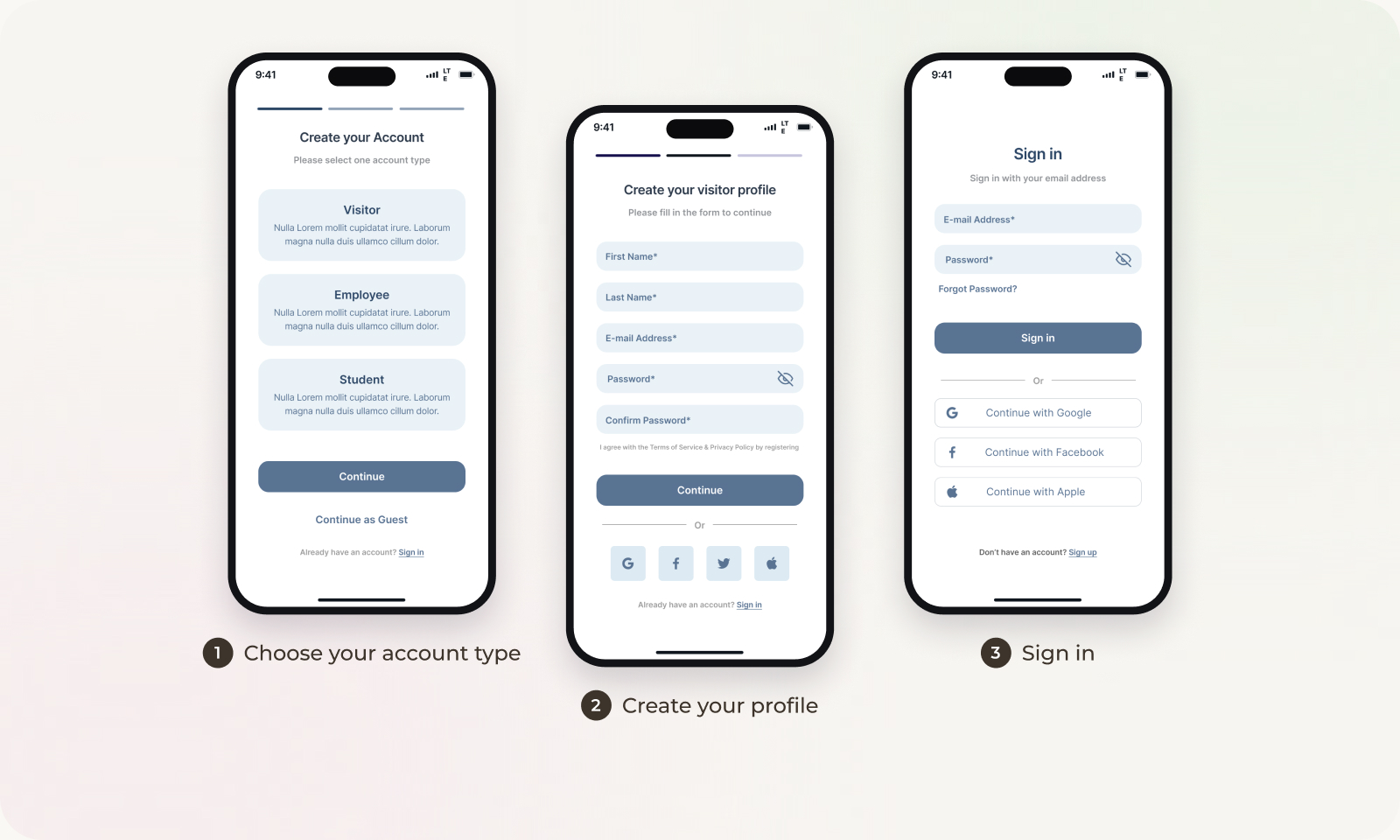
I mapped out the key flows and designed each one around the user type it served, starting with sign in and sign up, then refined them through rounds of iterations.
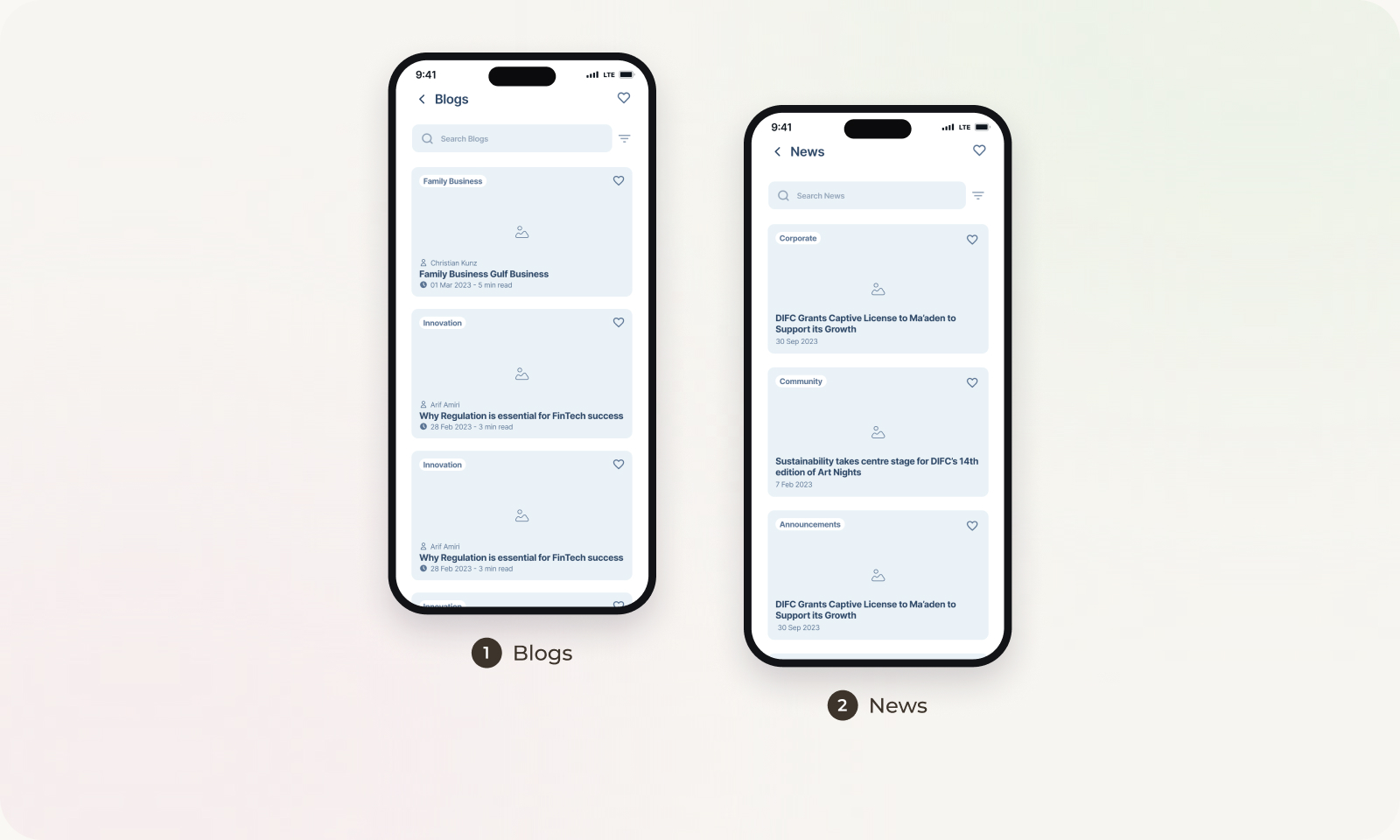
Another big idea for the app was to keep people in the loop, highlighting the latest news and what's happening around the district.
CUSTOMER JOURNEYS
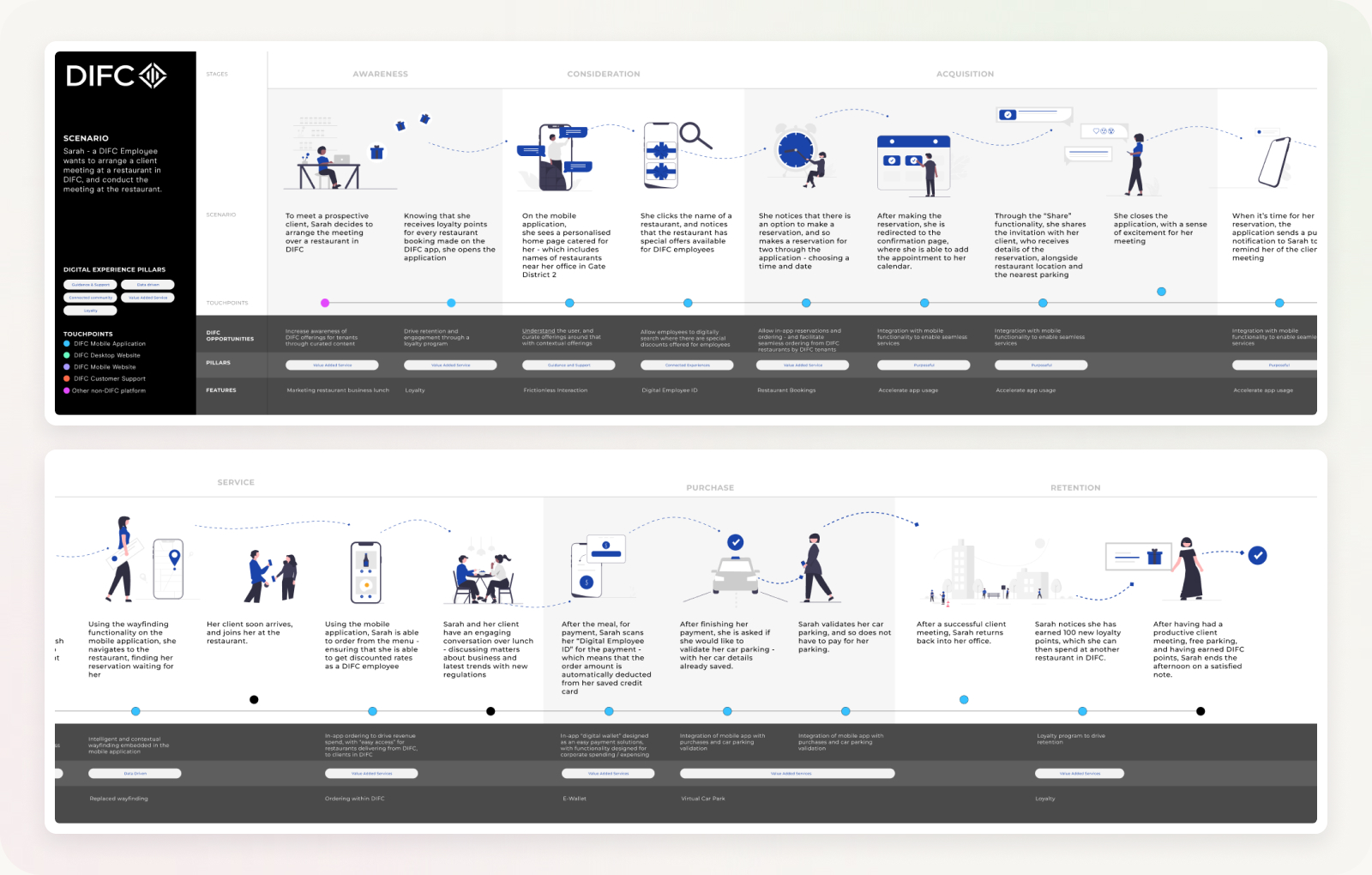
To show how the app and website would fit into people's days, I mapped six end to end journeys, one for each key audience. Each one runs from awareness through to retention and captures every touchpoint, the opportunity for DIFC at that moment and the feature that supports it. These journeys became the backbone for the features and flows we prioritised.
FINAL DESIGNS
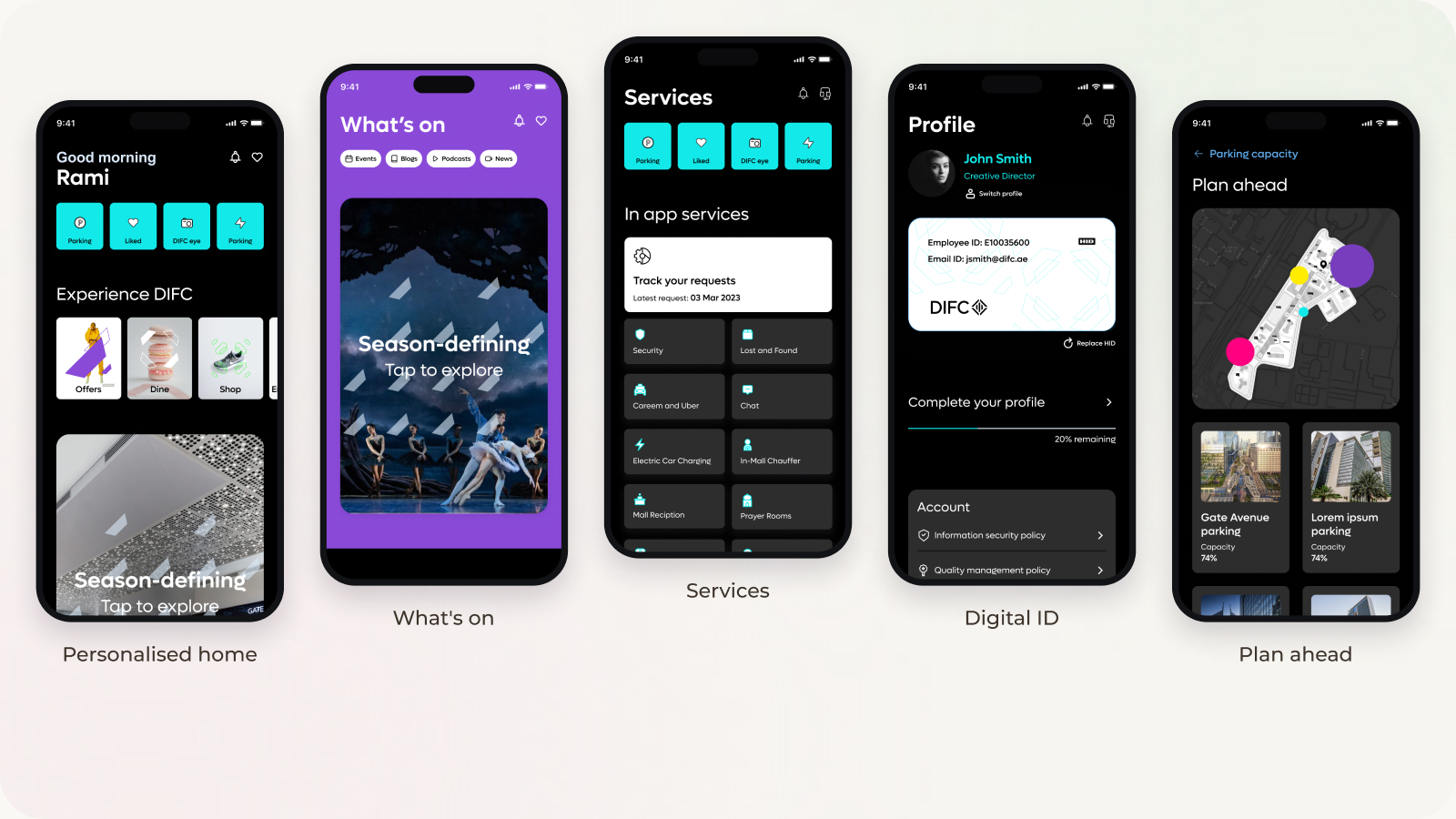
The UI designer took the app the rest of the way, building the final screens on top of the sitemap, flows and wireframes I created. The final app reflects what the research pointed to: personalised content on the home screen, everyday services in one place and a digital ID that replaces the physical access card.
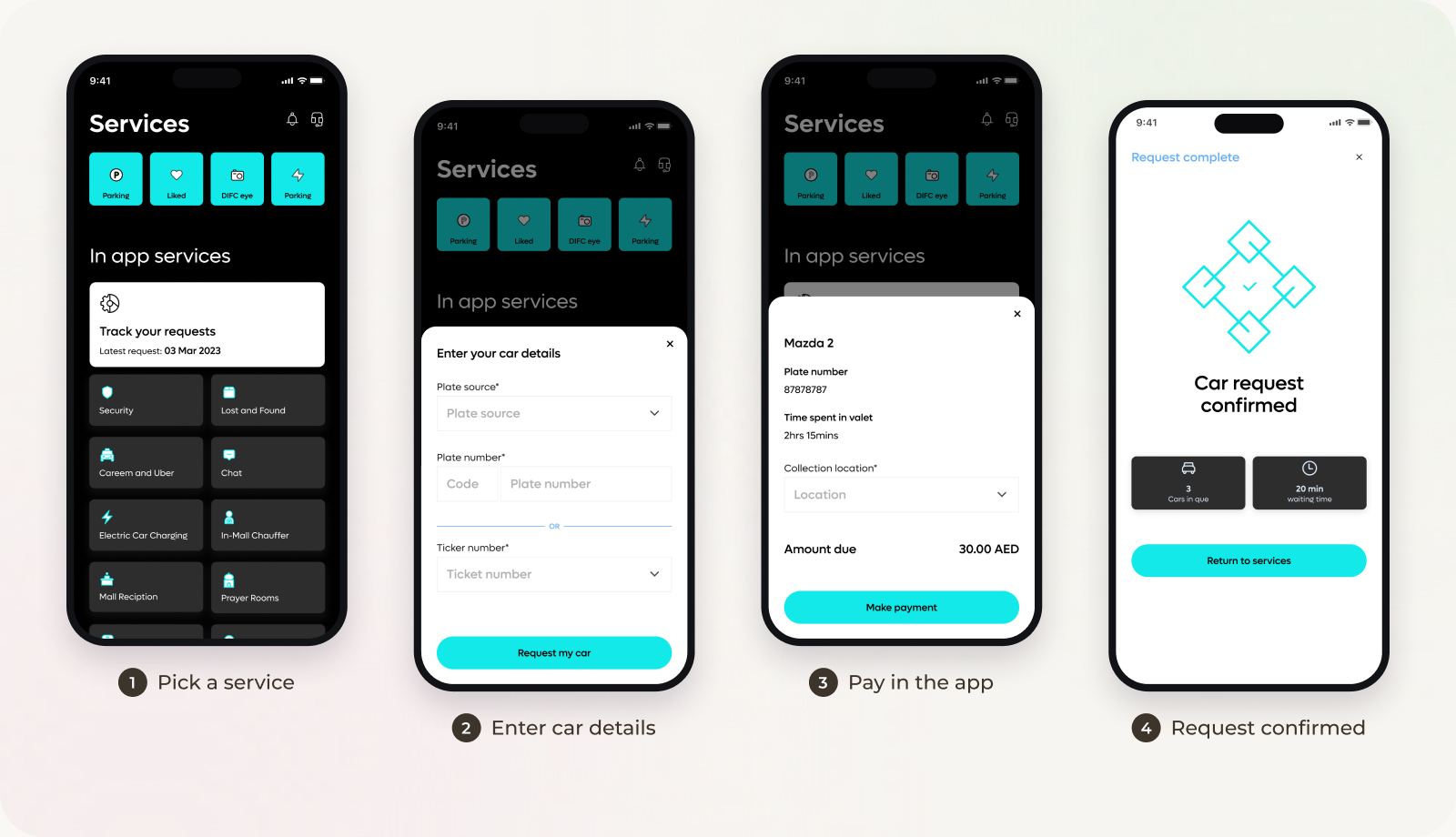
One of the flows I mapped was paying for parking and car services, a frustration that came up in interviews. In the final app it takes four steps, from picking a service to getting a confirmation.
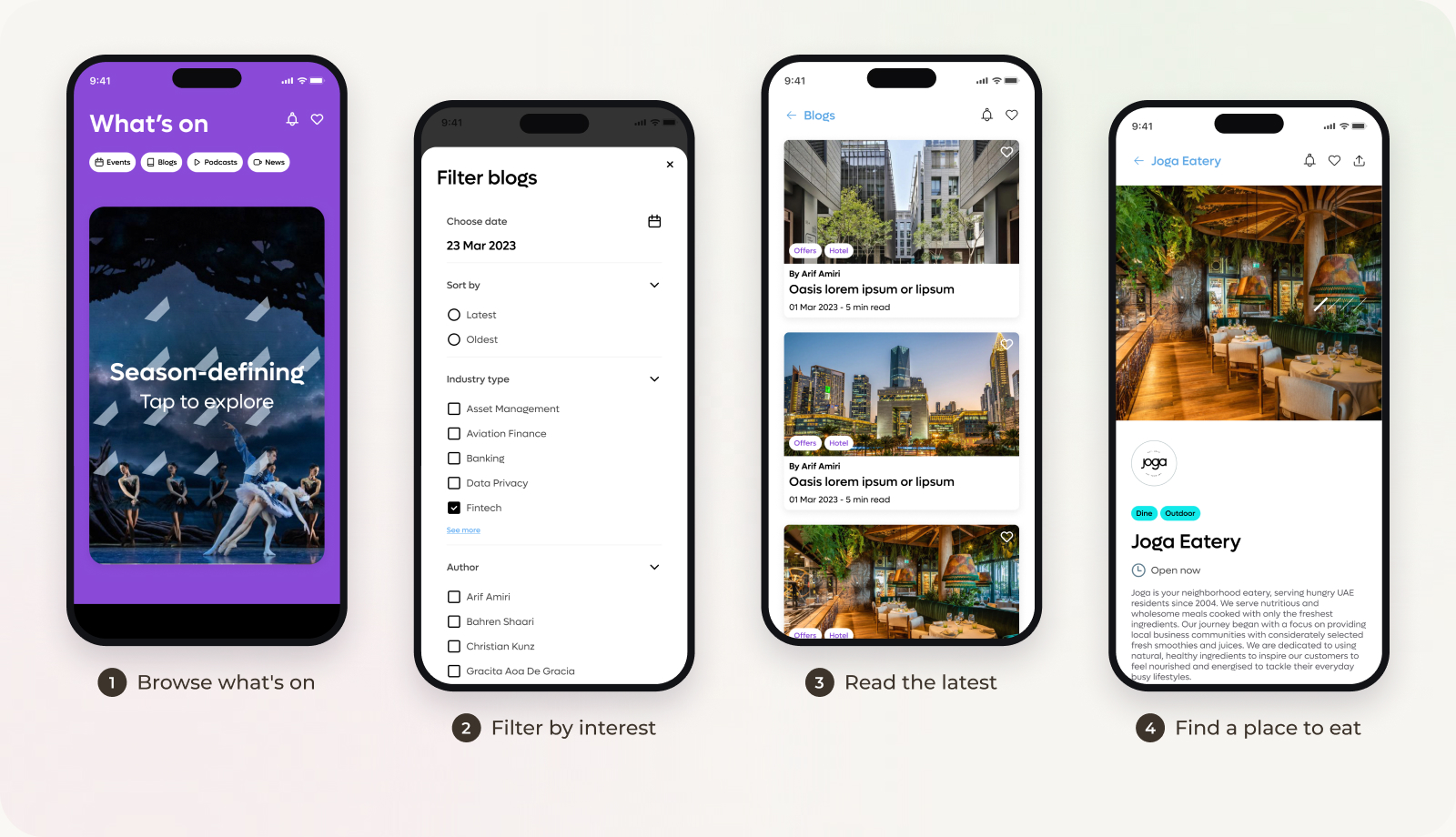
Another was helping people discover what's happening across the district, from new restaurants to blogs and events, with filters so they only see what's relevant to them.
WHERE AI HELPED
I used AI as a helper during the busier parts of the project. Every output was reviewed by me and checked against what real users told me.
OUTCOMES & IMPACT
The research and structure that the website and app were built on.
REFLECTIONS
SEE IT LIVE
The DIFC+ app is live on both stores and in daily use by employees, visitors and tenants across the district. Download it to try the experience for yourself.
iPhone & iPad · Free

apps.apple.com/ae/app/difc
Android · 10K+ downloads

play.google.com/store/apps/details?id=com.difc
A planning tool that makes building and sharing a trip feel quick and easy.
Read the storyA self initiated app concept that makes booking Hub19 and joining clubs at Middlesex University Dubai simpler.
Read the story