What the business needs
The company wants repeat visitors, longer stays and a higher order value, without losing the great work already on the current site.
Helping a well known holiday destination protect what already worked on their site, while giving guests more options, more offers and the flexibility to build their own trip, so they keep coming back to book again.
THE CHALLENGE
The company wants repeat visitors, longer stays and a higher order value, without losing the great work already on the current site.
As a well known holiday destination competing against big brands, the client attracts guests from all over the world, so the experience had to work for a worldwide customer base.
THE HOLIDAY DESTINATION CLIENT
They have a wide range of offerings, and at the moment they simplify that by creating curated packages such as Stay & Play, Stay & Event and Daycation.
But a survey run by the team showed that guests wanted more options, offers, discounts and flexibility when booking, and that this would bring them back to book again. So the marketplace made three promises: everything the destination has to offer in one place, smart discounts, and the freedom to build your own trip.
THE PROCESS
15 leading brandsBest in class features
1700 survey participantsGuest motivations
8 personas, 4 journeys10 customer flows
Before and afterPage level updates
BENCHMARKING
I started with a benchmark to understand where the client sat against its competitors, and what the client wanted to achieve following their survey.
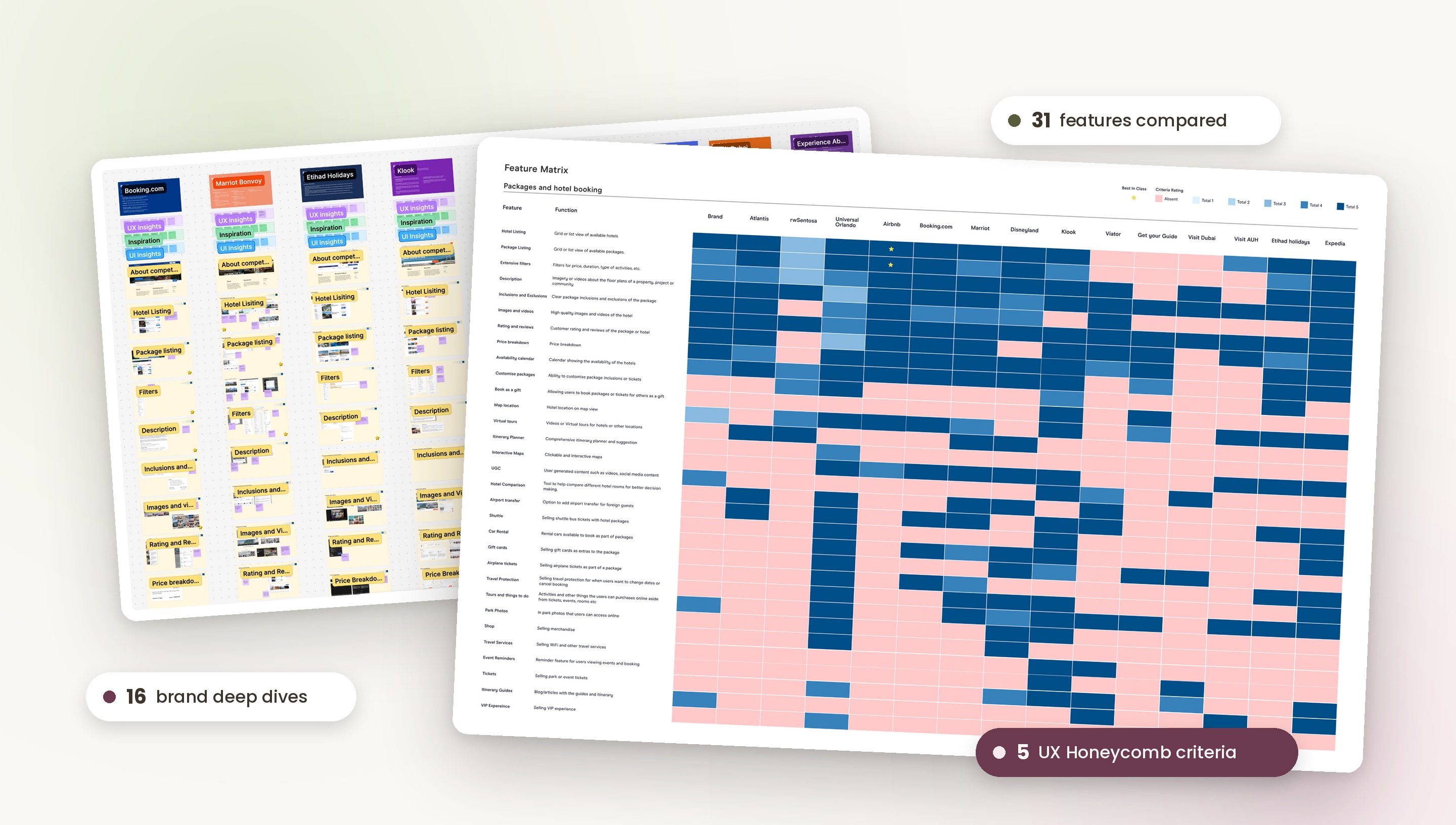
I benchmarked and identified unique offerings and best in class features from 15 other leading brands similar to the client, across three groups: online travel and booking sites, theme park and destination sites, and experiential websites.
All competitors and a high level view of where they stand, grouped by type of brand.
Best performing features side by side, rated against the 5 qualities of the UX Honeycomb.
A deeper dive into competitor flows and features, with annotated screenshots.
CLIENT FEEDBACK
The client loved the level of research and depth of this exercise, and it became the foundation for the marketplace.
SCORING METHOD
To avoid bias, I scored every feature using the UX Honeycomb. Each feature was rated against five qualities that are critical to the success of a product, and the sum of all five gave its overall score in the feature matrix.
A product or service needs to be useful and fill the users' needs. If it isn't, there's no real purpose for it.
The company and its products need to be trustworthy. If they don't feel credible, users might choose not to use them.
Designed inclusively, so every type of user has the same experience.
Simple and easy to use, familiar and easy to understand, with as little cognitive load as possible.
Information is easy to find and navigate, so users can quickly find a solution when they have a problem.
AUDITING THE CURRENT EXPERIENCE
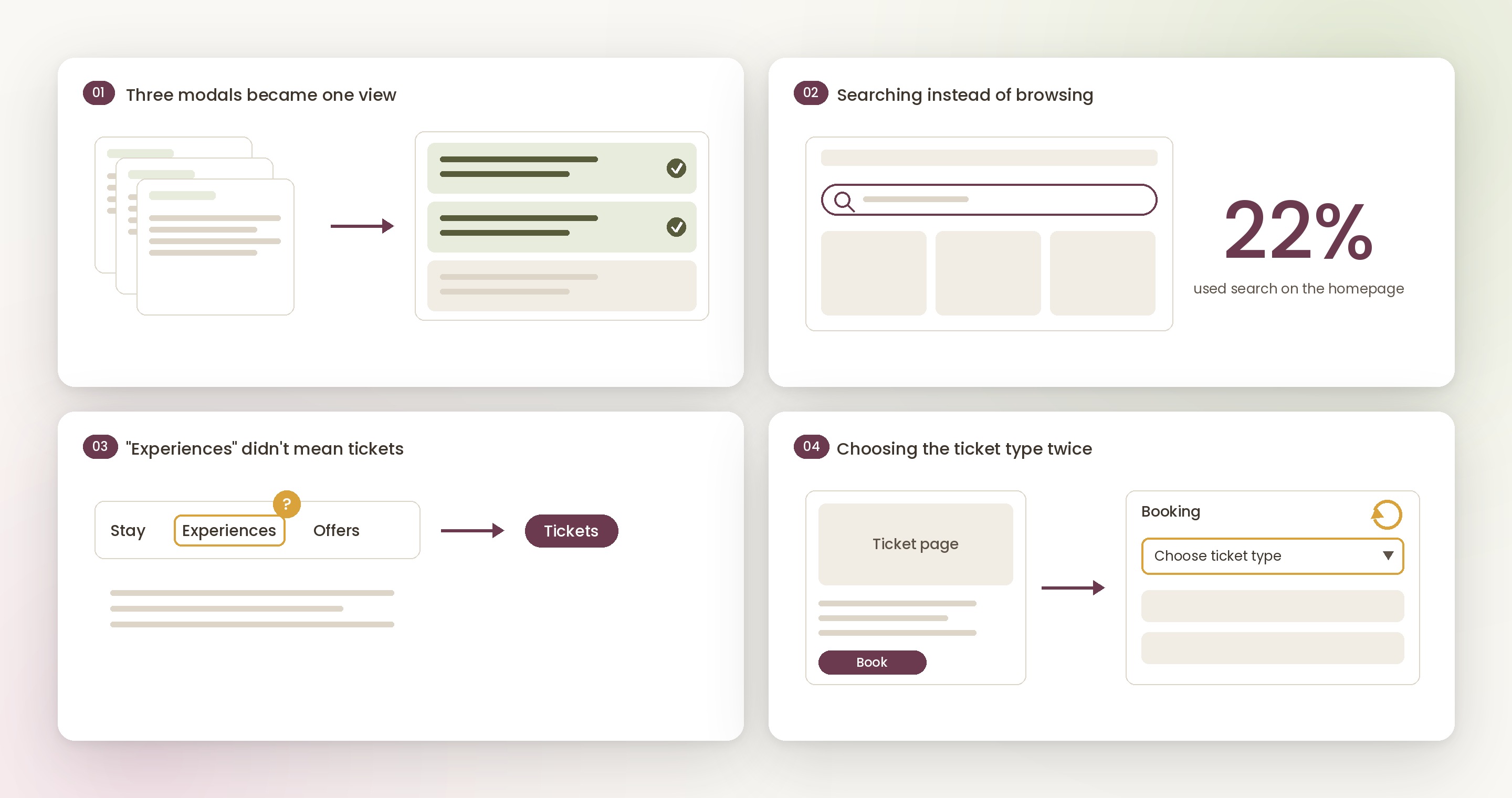
Alongside the benchmark, I audited the existing website flows and analytics to see where guests were getting stuck.
1700survey participants
RESEARCH FINDINGS
We validated the guest motivations with a survey of 1700 participants. Many leaned towards creating their own itinerary rather than a hassle free booking through a curated package. A 2025 marketplace survey showed 16% of guests do minimal planning and prefer a curated package, 35% do partial planning, and 49% are highly planned and want to build their own trip. A 2022 survey also showed most guests prefer to build their own trip, across visit frequency and length of stay.
PERSONAS & JOURNEYS
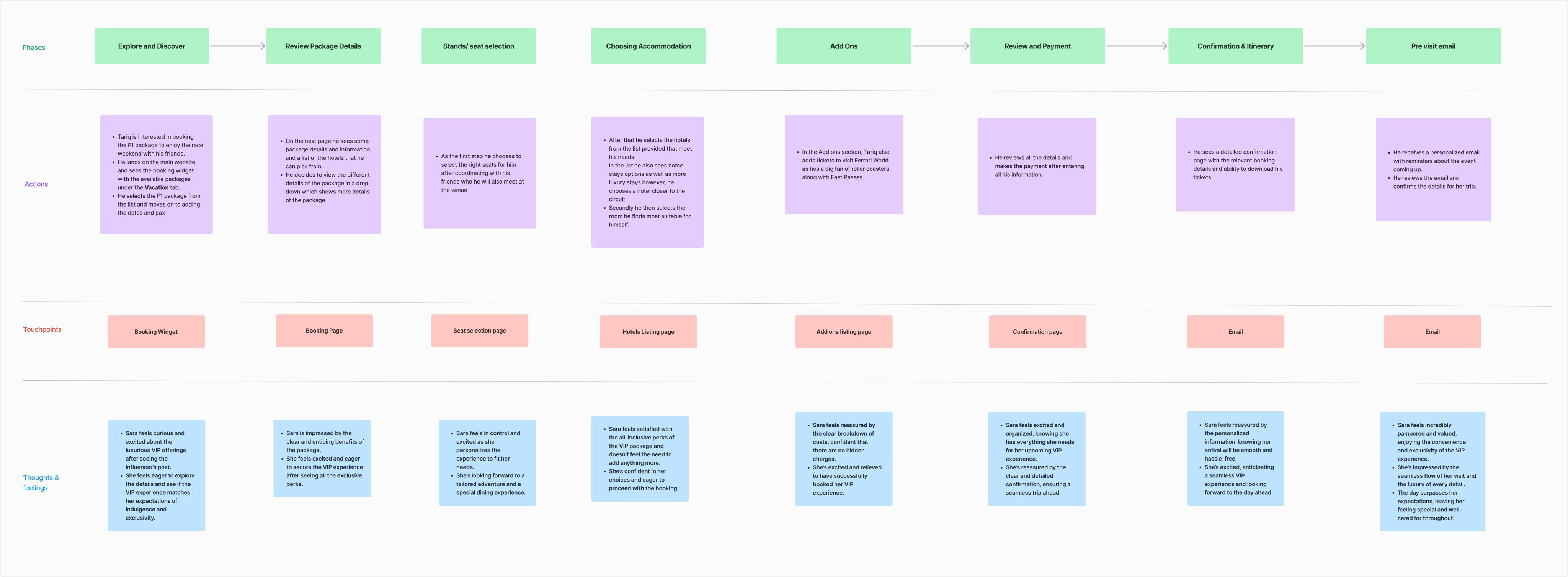
I refined 8 initial personas down to the 4 that shaped the main journeys: the Leisure Traveller, the Deal Hunter, the Value Seeker and the Event Pilgrim. Each journey followed the guest from deciding on a trip, through booking and payment, all the way to the emails they receive before their visit.
EVENT GOER
Loves high profile events like Formula 1 with friends, and wants smooth logistics for a hassle free trip.
LOCAL FAMILY WITH TWO KIDS, 2 DAYS
Want to save money without compromising on quality, and book stress free family packages.
DAYCATION, 1 DAY
A busy professional who wants a full day of fun without extensive planning, then home by evening.
INTERNATIONAL COUPLE, 3 DAYS
Struggled to find one platform offering flights, tickets and hotel stays in an all in one package.
FROM TARIQ'S JOURNEY
Tariq is planning to attend a weekend concert and wants to make the most of his trip. Since he's already driving two hours, he's eager to explore other activities on the island, turning his concert visit into a full weekend experience.
TESTING THE LANGUAGE
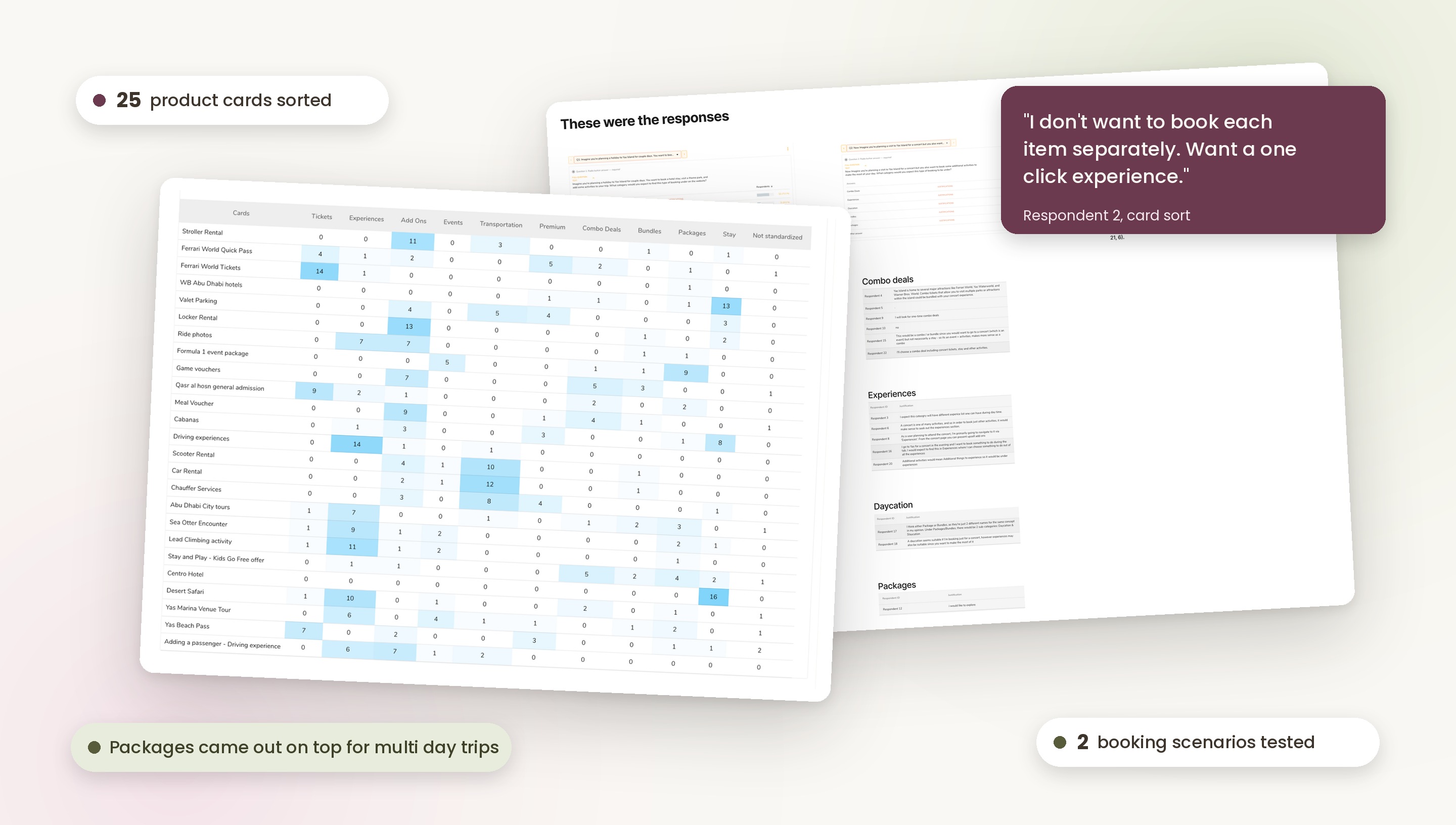
I ran a card sort to test the words guests expect to see. When asked where they would click first to book a hotel, a theme park and some activities, guests leaned clearly towards a few familiar categories.
WHAT I CHANGED
Bundles and Combo Deals had few or no cards assigned, so I avoided using them as separate categories and merged them under Packages for simplicity.
RESEARCH AND HOW I CAME TO THE SOLUTION
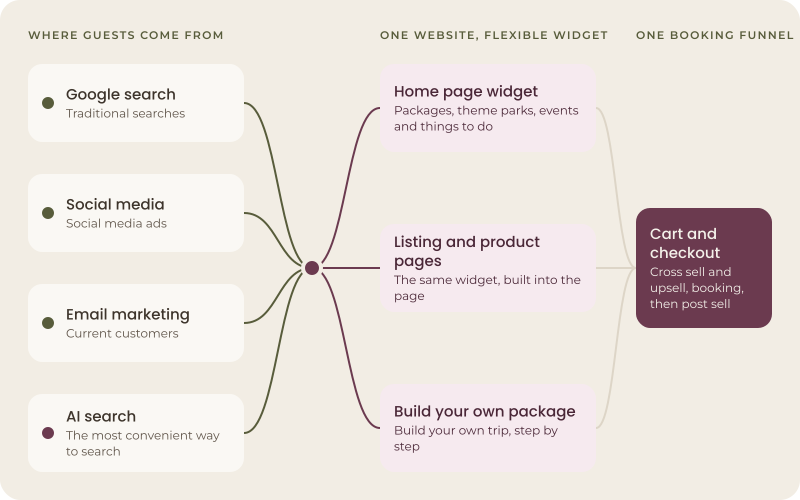
Based on my research, the survey, the current market and where search is heading, the solution needed multiple steps and entry points: many channels, one website, a flexible widget and one booking funnel. Guests could arrive from many different places:
For current customers.
Many people now find this the most convenient way to search.
BOOKING EVERYWHERE
The client was very keen on one main booking widget and wanted it to be the highlight of the site. We agreed it mattered, but it couldn't be the only way to book. Guests arrive from search, social, email and AI tools, and often land deep inside the site rather than on the homepage.
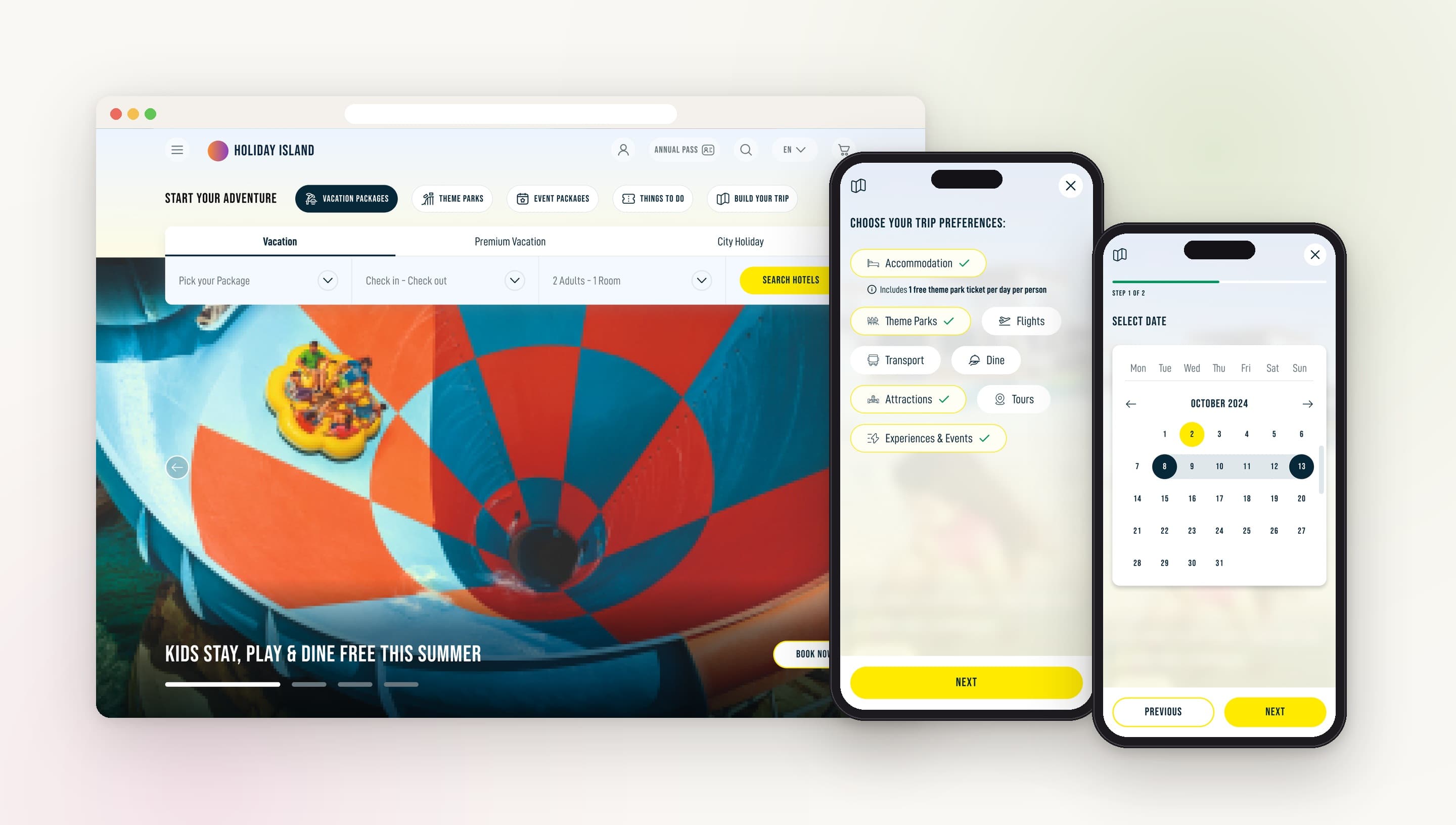
So alongside the main widget, we designed in page widgets and booking journeys for each type of page. Wherever a guest came from or landed, they could start booking right there, and keep adding as much as they wanted to one trip.
Still the highlight on the homepage.
Built into product, listing and event pages, so guests can book without going back to the start.
Every journey lets guests keep adding holiday packages, theme park tickets, events, things to do and add ons to one cart.
THE BALANCE
We kept the client's main widget as the hero of the site, while making sure it was never the only way in.
FLOWS
The 4 main journeys came out of my earlier research, refined from the 8 initial personas so I could target guests more precisely.
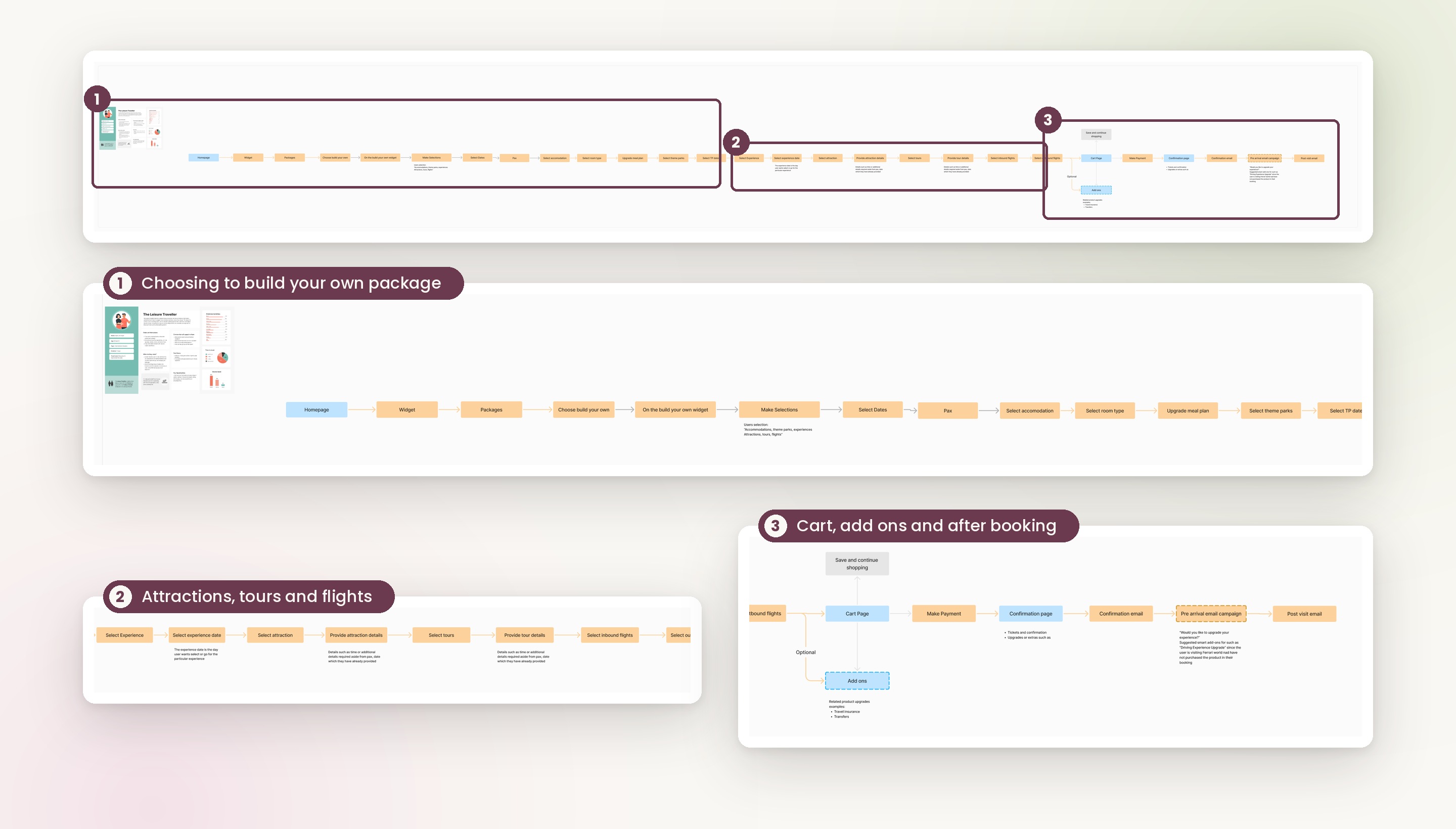
From these, I created 10 major customer flows based on the products the client had and wanted to sell, such as booking an event, a luxury holiday or a Stay & Play package. The journeys captured what guests needed, and the detailed flows mapped those needs against the business requirements.
The user flows identified the different paths, entry points and changes I wanted to make to the existing website.
SITEMAP
Alongside the flows, I put together the client's first product catalogue, with defined mapping and hierarchy. Bundles covered staycations, daycations and build your own, and products covered solo products, upsells and upgrades. Using the flows and the catalogue, I created a before and after sitemap showing the page level updates required, so the layout of the site was mapped before any design work began.
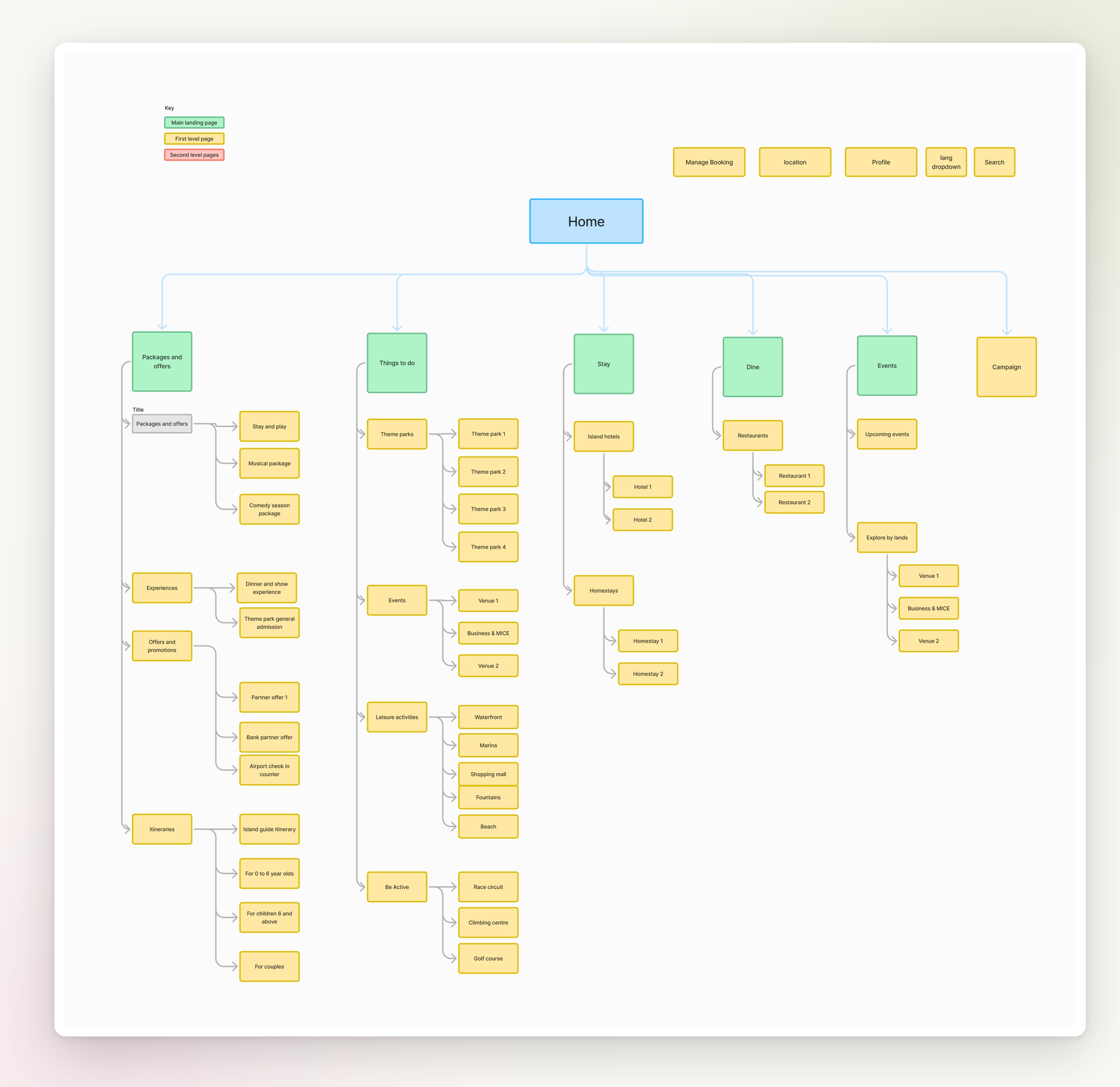
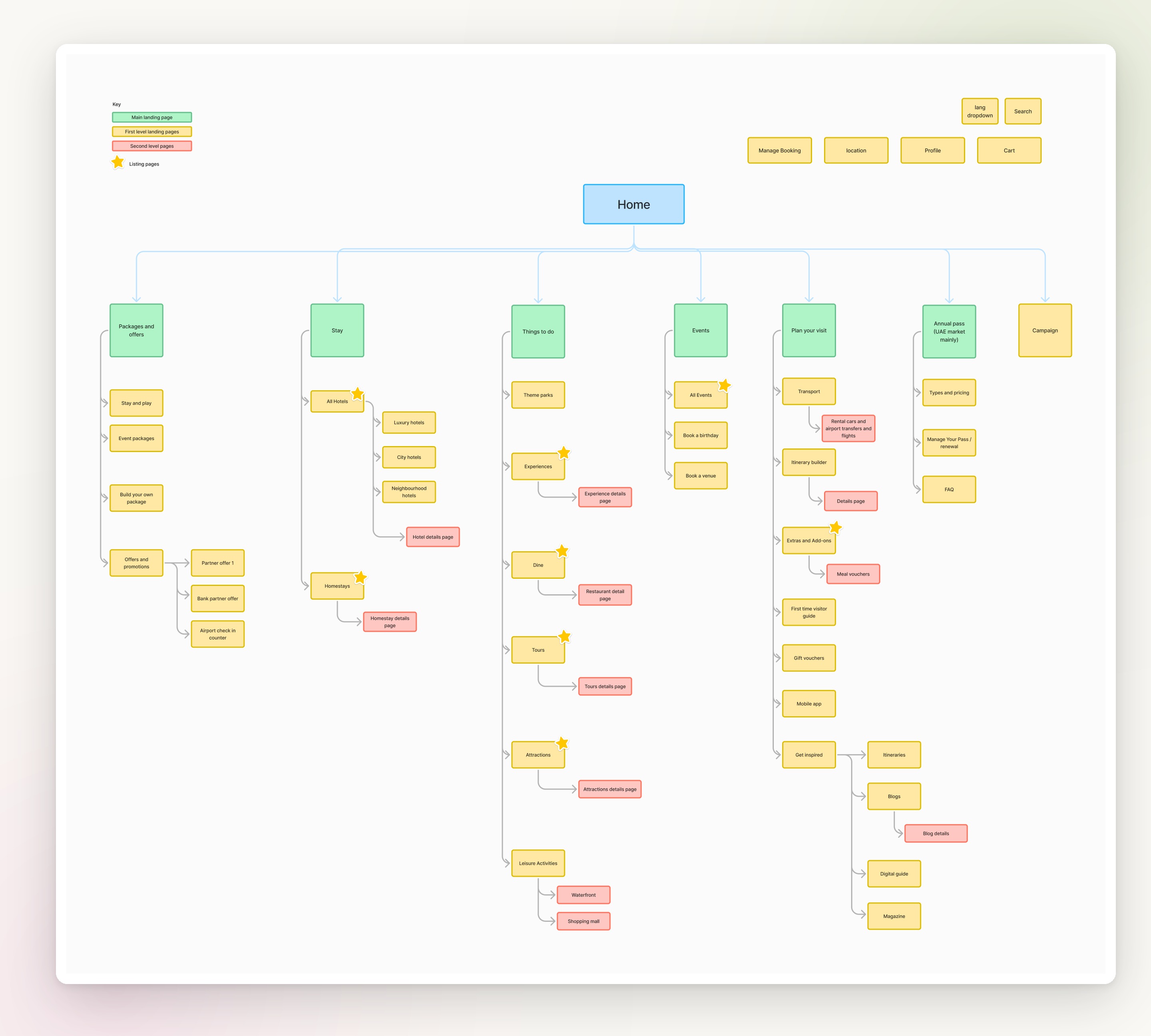
A big part of this was figuring out where each new feature, like build your own package and the itinerary builder, should sit on the existing website, so it felt natural to find and met the client's goals. The updated navigation brought these in alongside Extras and add ons, and split Stay into clearer groups of hotels.
KEY UX DECISIONS
These are some of the key decisions that shaped the marketplace. Each one was backed by research and signed off with the client.
ITERATIONS & SIGN OFF
Most of my time went into the UX file, working through each flow in rounds. I explored options, walked the client through them, refined them based on their feedback and repeated until each flow was signed off.
Sketch out options for each flow and product type.
Walk the client through the flows and capture their feedback.
Update the flows, edge cases and states.
Lock in the flow before it moves to UI design.
With so many different products to book, consistency mattered. I researched how leading booking sites handle things like date pickers, guest selection and carts, then used the same patterns across every journey.
BUILD YOUR OWN PACKAGE
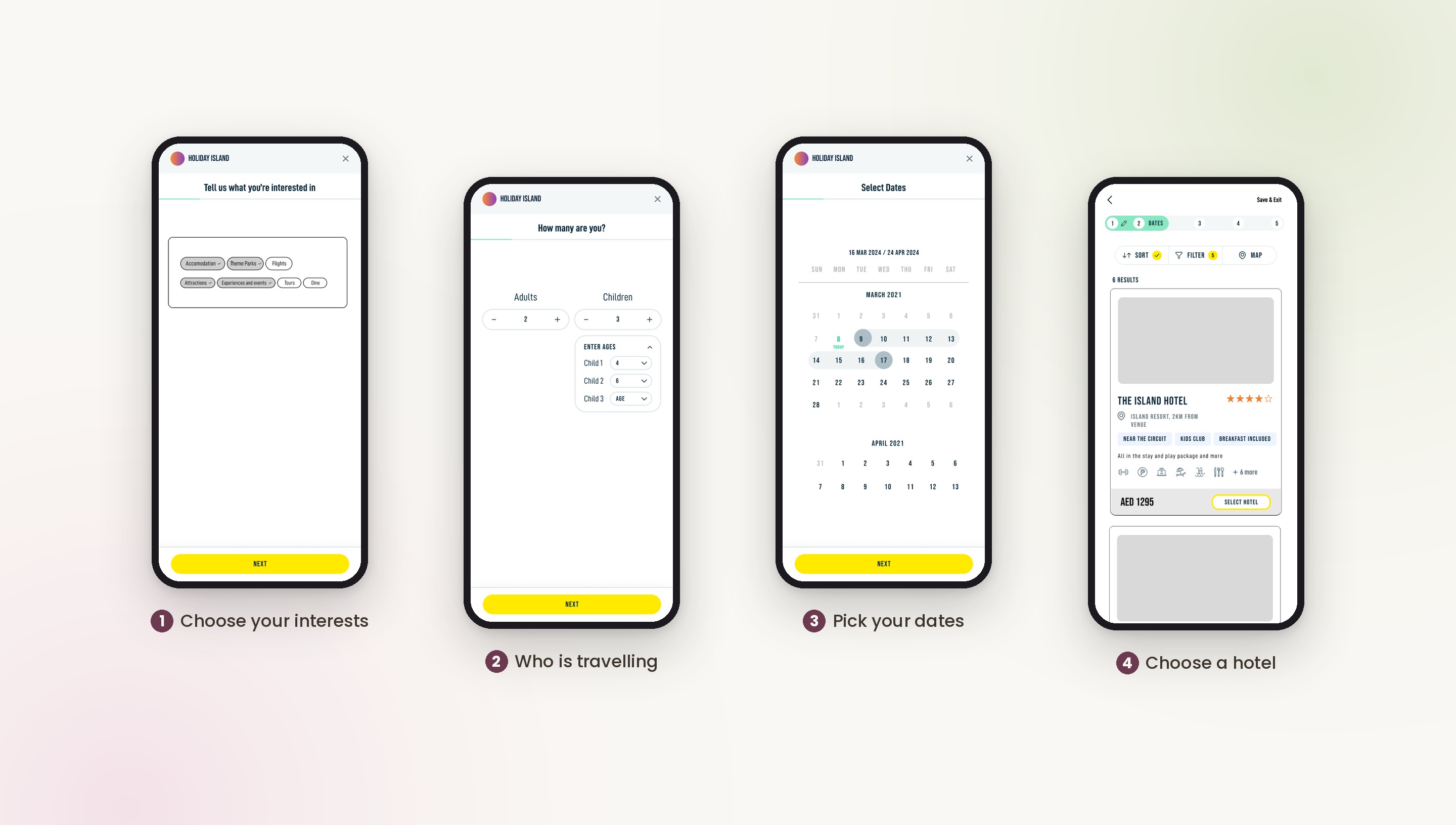
This was the heart of the marketplace. Guests choose what they want to include, such as accommodation, theme parks, experiences, attractions, tours and flights, and build their trip step by step.
SMART ADD ONS
"Would you like to upgrade your experience?" Suggested add ons like a Driving Experience upgrade appear when a guest is visiting a theme park and hasn't bought it yet. Upgrades that enhance the chosen product make guests more likely to add them.
ITINERARY BUILDER
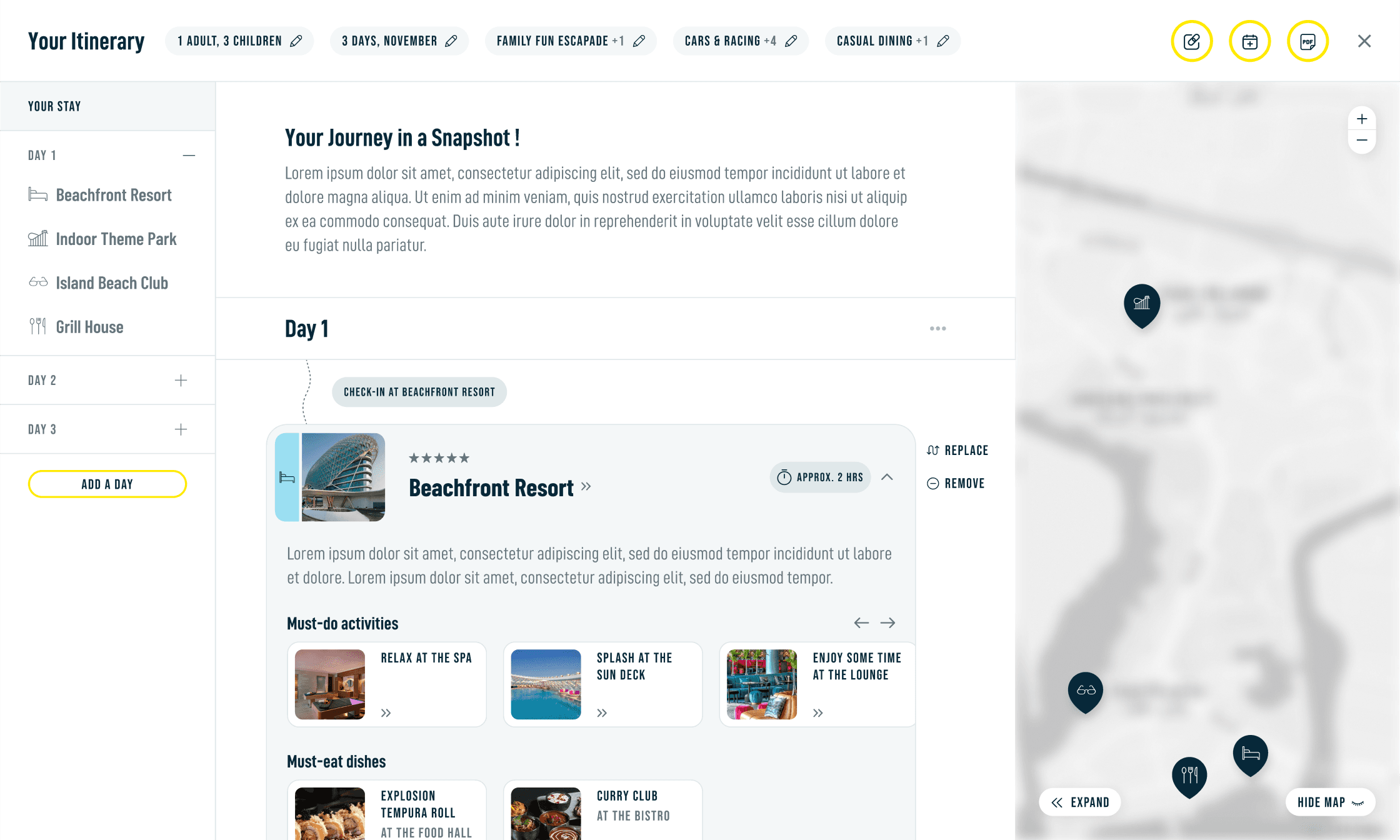
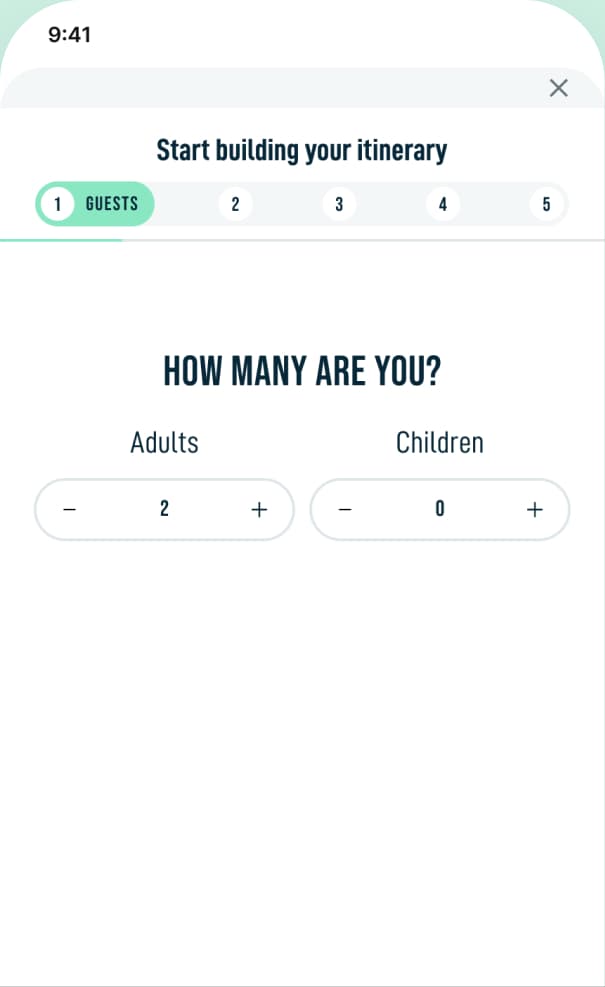
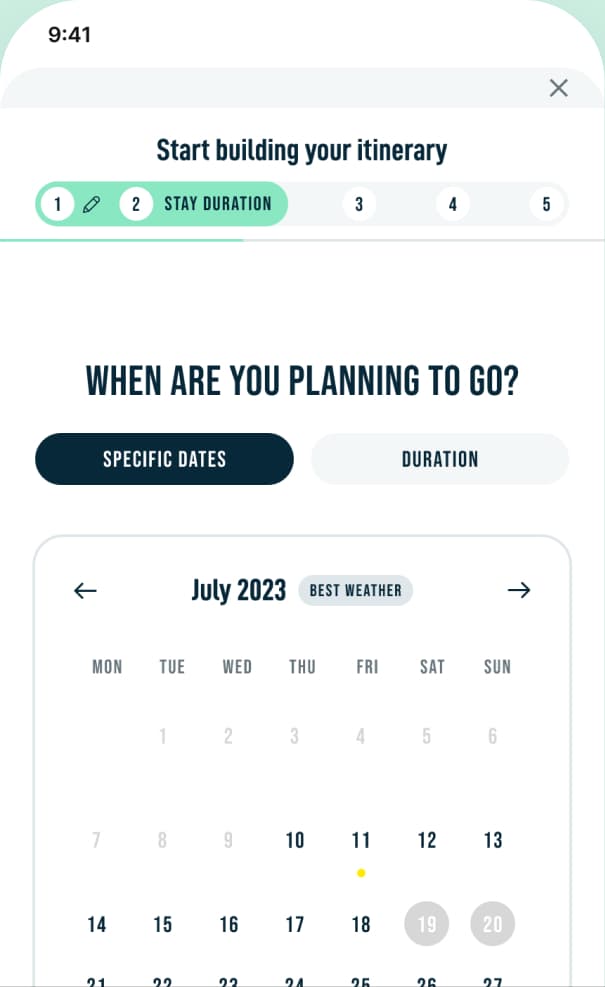
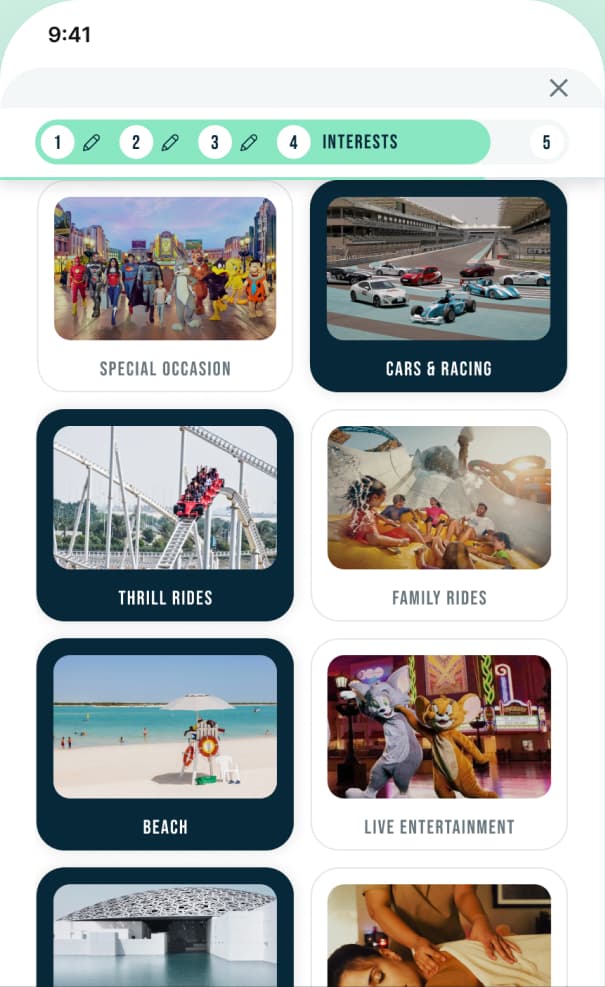
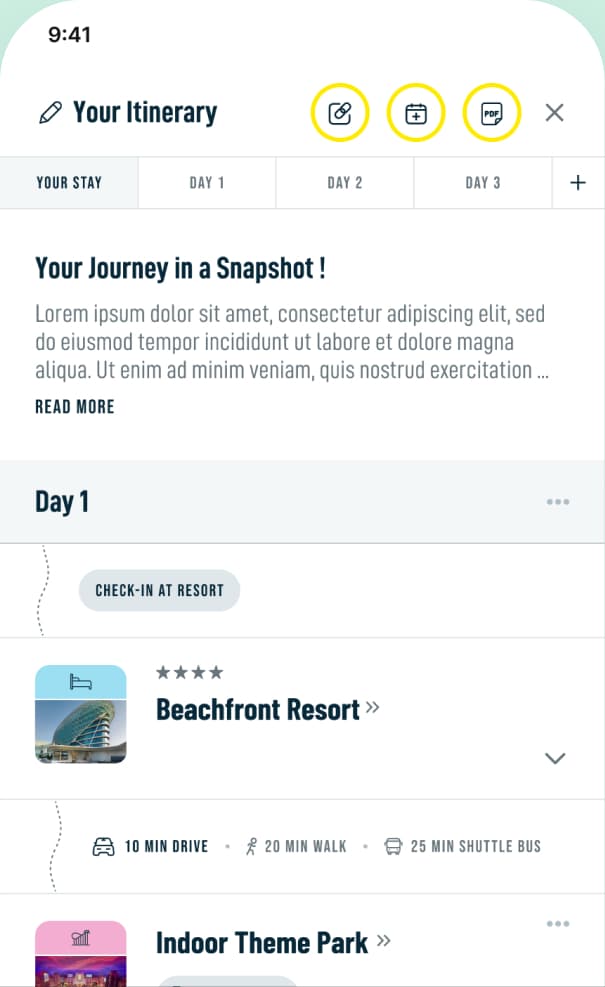
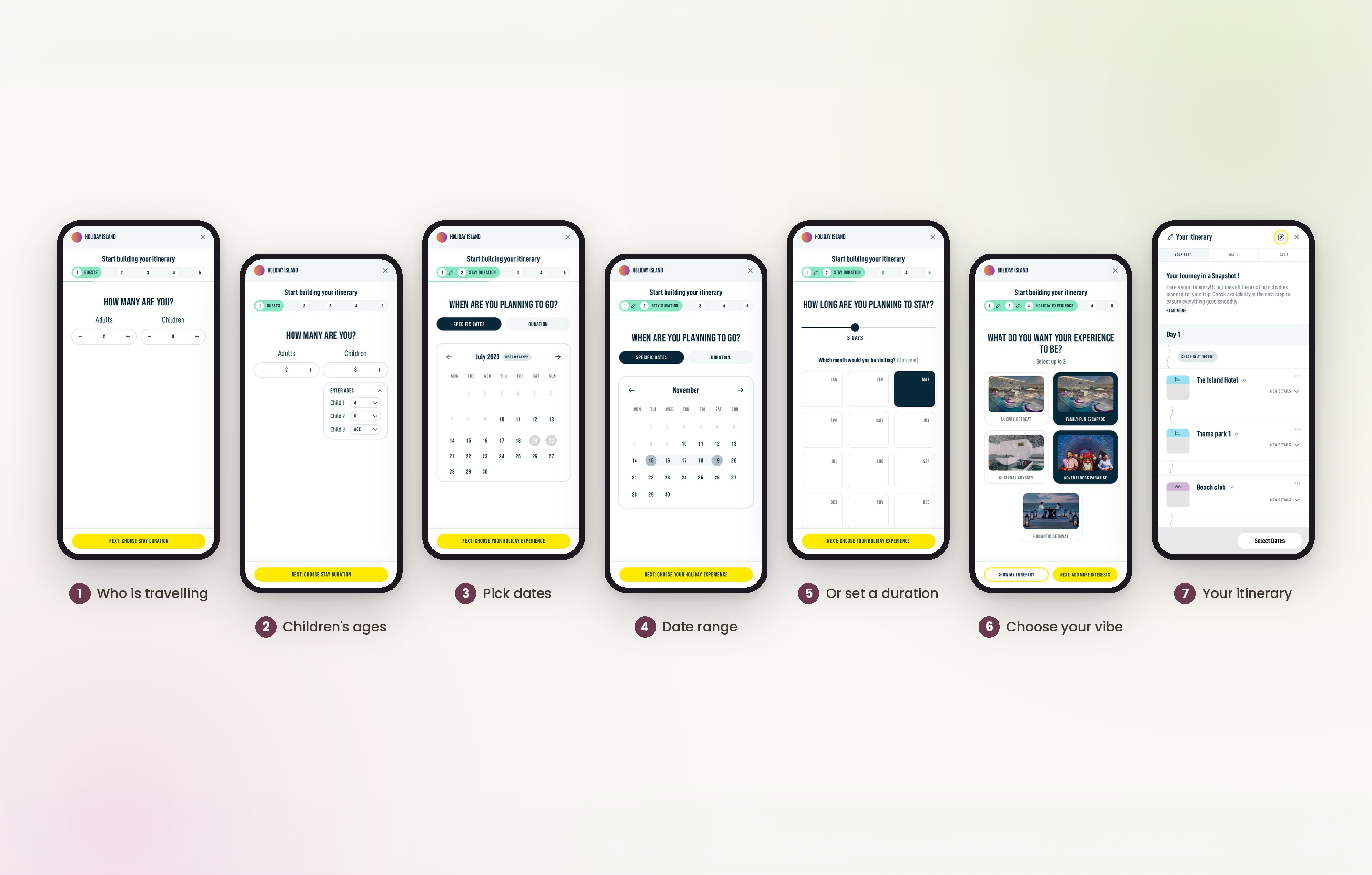
Guests could build an itinerary through a short wizard covering duration, experiences, guests and dining, then review, edit, replace or remove items before confirming and starting to book.
HELPFUL ALERTS
"Heads up! Some items in your trip overlap" and "Busy day ahead, save a little time to unwind!" Alerts like these help guests plan a realistic day, and a saved trip means they never lose their plans.
OUTCOMES & IMPACT
The marketplace hasn't launched yet, so rather than guess at numbers, here is what the work delivered and what the client signed off.
REFLECTIONS
A smart planner that makes building and sharing a multi day trip feel easy.
Read the storyOne app for work, life and everything in between across Dubai's financial district.
Read the story